

Shanling免费使用说明书 – 在线阅读、下载和打印
4 手册
手册
分类

Free Shanling Manuals - Read, Download & Print
Find Shanling Manuals for Audio Equipment
Looking for a Shanling manual for your portable music player, DAC, headphone amplifier, CD player, streamer, or wireless audio device? This page helps you locate free Shanling manuals that can be read online, downloaded for later reference, or printed when you need a physical copy. Clear product documentation is useful whether you are setting up a new device, restoring an older component, updating firmware, or troubleshooting a feature that is not working as expected.
Shanling products are known for combining high-resolution audio technology with compact, stylish designs. Many models include detailed menus, touch controls, Bluetooth options, balanced outputs, USB audio modes, memory card support, and configurable playback settings. A proper user manual makes it much easier to understand these functions and get the best performance from your equipment.
Read Shanling User Guides Online
Reading a Shanling manual online is a convenient way to get quick answers without saving files to your device. Online manuals can help you identify buttons, ports, indicators, menu items, charging instructions, supported formats, and connection methods. They are especially helpful when you are away from home or need to check a setting while using your player, amplifier, or desktop audio system.
A typical Shanling user guide may include:
- Product overview and package contents
- Safety instructions and handling information
- Button layouts and touchscreen controls
- Battery charging and power management details
- Bluetooth pairing and wireless playback setup
- USB DAC, storage, and computer connection instructions
- Music library scanning and playback controls
- Equalizer, gain, filter, and output settings
- Firmware update procedures
- Troubleshooting and technical specifications
Reviewing the manual before changing advanced settings can prevent accidental configuration changes. It can also explain the difference between audio outputs, decoding modes, file formats, and wireless codecs, helping listeners choose options that match their headphones, speakers, and music sources.
Download Free Shanling Manuals
Downloading a Shanling instruction manual gives you access even when you do not have an internet connection. PDF manuals are practical for keeping on a phone, tablet, computer, or dedicated music library drive. You can search within the document for terms such as Bluetooth, balanced output, USB DAC, firmware, playlist, or reset, making it faster to find the section you need.
Before downloading, confirm the exact model name shown on the product body, retail box, settings screen, or original purchase documentation. Shanling often releases several versions of related products, and controls or functions may differ between generations. For example, a feature available on one portable player may not be included on a smaller player, while a newer edition may use a revised operating system or menu structure.
When available, choose documentation that matches your product model and firmware version. The latest manual may contain updated instructions, but older documents can be valuable for discontinued devices or earlier software releases. Save files with clear names, such as Shanling-model-user-manual.pdf, so they are easy to locate later.
Print Shanling Manuals for Easy Reference
Printing a Shanling manual is useful for listeners who prefer a paper guide near their audio setup. A printed copy can be helpful during initial installation, especially when connecting multiple components such as a digital audio player, external DAC, headphone amplifier, active speakers, and a computer or network source.
To save paper, print only the pages that matter most. Common sections worth printing include the quick start guide, button diagram, connection charts, Bluetooth instructions, troubleshooting table, and specifications page. You can also print in grayscale, select a page range, or use double-sided printing.
A physical manual is particularly useful for older equipment that may be used by several people in a household, office, studio, or listening room. Keep the printed guide with cables, accessories, remote controls, and warranty records so everything stays organized.
Manuals for Shanling Portable Players
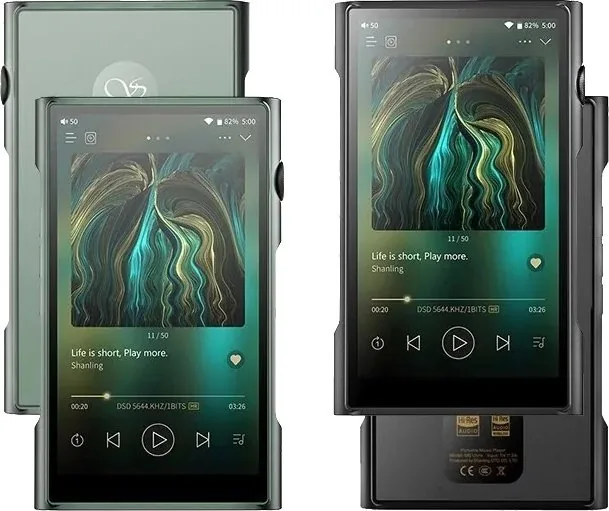
Shanling portable digital audio players often provide many options beyond basic music playback. Depending on the model, manuals may explain how to use microSD cards, browse folders, scan music libraries, create playlists, adjust screen settings, connect headphones, use line output, and enable USB DAC functionality.
The manual can also clarify important listening settings. Gain control affects output level for different headphone types. Digital filters can alter the playback behavior of the DAC. Equalizer options may allow users to tailor sound for specific headphones or music styles. Output settings can help prevent issues caused by using the wrong mode with an external amplifier.
For portable players with Android-based systems, documentation may also cover Wi-Fi, application installation, streaming services, system updates, and digital output options. Always follow the recommended steps when updating firmware or changing system-level settings.
Manuals for Shanling DACs and Headphone Amplifiers
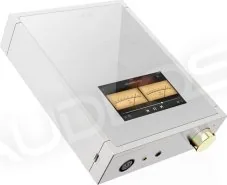
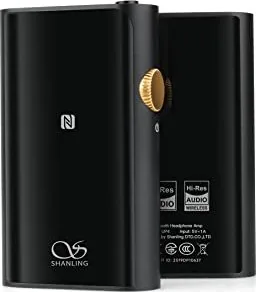
Shanling DAC and headphone amplifier manuals are helpful when building a desktop or home audio system. These documents commonly describe analog and digital inputs, USB connections, optical and coaxial ports, Bluetooth setup, line-level outputs, headphone sockets, volume control, and display indicators.
Using the correct input and output is important for sound quality and equipment safety. A manual can explain whether a connection is fixed line out, variable preamp out, or headphone out. This distinction matters when connecting the unit to powered speakers, an integrated amplifier, or another headphone amplifier.
Many Shanling DACs support multiple audio formats and decoding modes. The manual may list supported PCM and DSD rates, USB driver requirements, sample-rate display behavior, and compatibility notes for computers or mobile devices. If audio is not playing correctly, check the manual for source settings, cable requirements, driver installation, and input selection procedures.
Manuals for Shanling CD Players and Streamers
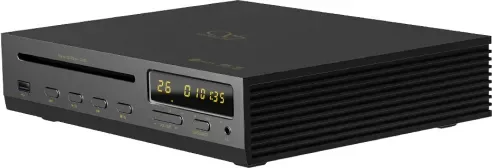
For Shanling CD players, transport units, and network audio components, manuals can guide you through disc playback, digital outputs, remote control functions, network setup, application use, and integration with existing hi-fi equipment. These products may include features such as USB playback, Bluetooth reception, Wi-Fi streaming, digital inputs, and app-based control.
If your unit is connected to a home network, the manual can help with initial setup, password entry, network status indicators, and basic recovery steps if the connection is lost. It may also explain supported file formats, gapless playback, metadata display, and external storage compatibility.
Carefully review the connection diagrams before attaching equipment. Use appropriate cables and avoid connecting outputs in a way that may cause excessive volume or duplicate amplification. When in doubt, begin with low volume and verify each connection one at a time.
Troubleshooting With Your Shanling Manual
A Shanling manual is often the fastest place to start when a device does not behave as expected. Many common issues have simple solutions, including a drained battery, incorrect output mode, unsupported file type, unselected input, low volume setting, or Bluetooth pairing conflict.
Check the troubleshooting section for problems such as:
- The device will not turn on or charge
- Headphones produce no sound
- Bluetooth pairing fails
- A computer does not recognize the DAC
- Music files do not appear in the library
- An SD card is not detected
- The display or touchscreen is unresponsive
- A firmware update does not complete
- Audio drops out during wireless playback
Before performing a factory reset, read the manual to understand what data and settings may be removed. A reset can solve some software problems, but it may also erase Wi-Fi details, Bluetooth pairings, preferences, playlists, or custom configurations.
Use the Right Manual for Your Model
For the best results, use a Shanling manual that matches the precise model number and region of your product. Check for model suffixes, special editions, hardware revisions, and firmware differences. Product pages, labels, and system information screens can help verify the exact version.
Free Shanling manuals provide practical guidance for everyday listening and advanced audio setup. Read them online for quick help, download them for offline access, or print key pages for your listening area. With the right documentation at hand, you can explore your Shanling equipment with greater confidence and enjoy its features as intended.
搜索:67,732 在线手册


输入品牌或型号