

uHoo免费使用说明书 – 在线阅读、下载和打印
1 手册
手册
分类

Comprehensive Guide to uHoo Manuals
Introduction to the uHoo System
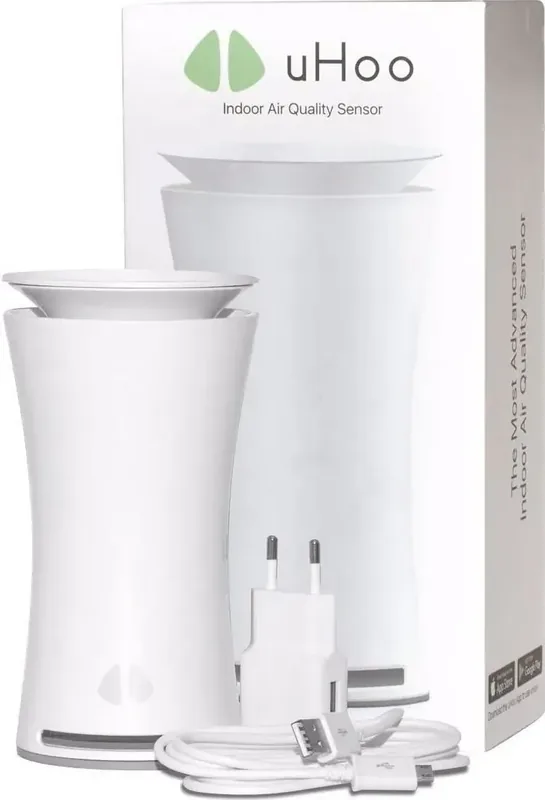
The uHoo indoor air quality monitor is a sophisticated device designed to track environmental conditions in homes and offices. The uHoo Manuals provide essential instructions for setting up, operating, and maintaining this technology. Understanding the documentation is crucial for maximizing the device's potential and ensuring accurate data collection. These guides cover every aspect of the product lifecycle, from unboxing to advanced troubleshooting. Users often overlook the manual, but it contains vital information about sensor calibration and connectivity settings. The manual is available in multiple languages and can be found on the official website or included in the packaging. Following these instructions ensures that the device performs optimally for years. Proper documentation usage also helps users understand how to interpret the data displayed on the companion app. The following sections detail the specific contents and importance of the uHoo Manuals.
Overview of Documentation Content
The documentation suite is divided into several key sections to help users find information quickly. The Quick Start Guide offers a brief overview for immediate setup. It typically includes a list of components found in the box and basic connection instructions. The Full User Manual is more detailed and covers hardware, software, and maintenance topics. It explains the purpose of each LED indicator and how to read the sensor readings correctly. Additionally, there are specific guides for the companion mobile application. This section covers account creation, pairing procedures, and data visualization tools. Users should refer to these manuals when setting up the device for the first time. They are also useful when updating the firmware or resetting the device to factory settings. The documentation is regularly updated to reflect new features and firmware changes. Keeping a digital copy or printing a physical copy is recommended for easy reference. Each section is written in clear, straightforward language to minimize confusion. Technical jargon is explained in the glossary for better user understanding.
Initial Setup and Configuration Steps
Proper initial setup is the most critical phase for long-term performance. The manual outlines the steps to connect the device to a secure Wi-Fi network. Users must ensure they have the uHoo mobile app installed on their smartphone before beginning. The process involves downloading the app from the App Store or Google Play Store. After installation, the user creates an account and logs in to begin the pairing process. The device is activated by pressing and holding the button on the top of the unit. The manual advises avoiding setup near metal objects or interference sources. Once the device connects, it begins monitoring the environment immediately. Users are prompted to name their device to distinguish it from other uHoo units in the home. This step is essential for managing multiple devices within the same account. The manual also explains how to set the device location for weather data integration. Accurate location settings improve the relevance of indoor air quality alerts. Skipping these steps can lead to connectivity issues or inaccurate readings later on.
Understanding Sensor Readings and Data Interpretation
The uHoo device measures several critical parameters within the environment. The manual provides detailed explanations for Carbon Dioxide, Volatile Organic Compounds, Temperature, Humidity, and Atmospheric Pressure. High levels of Carbon Dioxide often indicate poor ventilation and can lead to fatigue or headaches. The manual explains that ventilation should increase when CO2 levels rise beyond specific thresholds. Volatile Organic Compounds are chemicals emitted from household products like cleaning supplies or paint. The uHoo manual suggests identifying sources of VOCs and removing them to improve safety. Temperature and Humidity readings are vital for comfort and health. Extreme humidity can lead to mold growth, while low humidity can cause dry skin. The device tracks these changes over time to provide trend analysis to the user. The manual teaches users how to use color-coded alerts to respond to data changes quickly. Green indicates safe levels while red warns of potential health risks. Understanding these metrics allows users to make informed decisions about their environment. The app synthesizes this data into an easy-to-read dashboard for quick viewing.
Routine Maintenance and Care Procedures
Regular maintenance ensures the longevity and accuracy of the uHoo monitor. The manual recommends cleaning the exterior of the device with a soft, dry cloth. It is important to never submerge the device in water or use liquid cleaners directly on it. The manual warns against using harsh chemicals that could damage the sensor housing. Sensor calibration is another aspect covered in the documentation. While the device is largely self-calibrating, certain conditions may require manual intervention. The manual provides steps to reset the sensors if readings seem inaccurate. Battery and power management are also discussed. The device is powered via USB, and users are advised to use the recommended power adapter. Prolonged power outages can reset settings, and the manual explains how to restore them. Placement of the device is also a maintenance consideration. It should be placed at breathing height away from direct heat sources or sunlight. The manual suggests checking the placement periodically to ensure air flow is not obstructed. Following these care instructions helps maintain the device's reliability over time. Neglecting maintenance can lead to degraded sensor performance and inaccurate data reporting.
Troubleshooting Common Connectivity and Sync Issues
Users may encounter connectivity problems that require troubleshooting. The manual provides a detailed FAQ section to address these scenarios. Common issues include the device failing to connect to the Wi-Fi network. This can often be resolved by checking the router settings and password entry. The manual advises changing the Wi-Fi frequency to 2.4GHz if the device fails to load. App syncing issues might occur if the phone or device loses connection. Restarting both the app and the uHoo unit usually resolves synchronization delays. In some cases, updating the application is necessary to fix bugs reported by the community. The manual also covers what to do if the LED indicator shows a specific error pattern. Each blinking pattern corresponds to a specific hardware or software fault. Users are instructed to record the pattern and contact support if the issue persists. Firmware updates may also resolve persistent connectivity glitches. The manual emphasizes the importance of keeping the software up to date. Regular updates ensure compatibility with new operating systems and feature enhancements. If a device is unreachable, a factory reset may be required as a last resort.
Advanced Features and Smart Home Integration
The uHoo system supports integration with various smart home platforms. The manual details how to link the device with virtual assistants like Alexa or Google Home. This integration allows users to ask for air quality data verbally. It also enables automated responses based on air quality readings. For example, a user can set a rule to turn on a fan if CO2 levels get too high. Multi-device setup is another advanced topic covered in the documentation. Users with larger homes may own multiple uHoo devices throughout the property. The manual explains how to organize these devices into different rooms or zones. This organization helps users pinpoint exactly where air quality issues are occurring. Notification alerts can be customized in the settings menu. Users choose which conditions trigger a push notification to their phone. This feature is useful for those who are away from home for extended periods. The manual explains the difference between local and remote notifications. It also covers how to manage privacy settings and data sharing permissions. Advanced users can export their data for further analysis or health tracking. The documentation ensures that all these complex features are accessible to everyday users.
Customer Support Channels and Warranty Details
Support resources are readily available for users needing assistance. The manual lists the official website and support email address for inquiries. Users can also find community forums where experiences are shared and tips exchanged. The manual provides instructions on how to contact the customer service team via phone in some regions. For hardware failures, the warranty terms are clearly outlined in the documentation. The warranty covers defects in materials and workmanship for a specific period. Users must provide proof of purchase and device serial number for any claims. The manual advises registering the product promptly to activate the warranty. Return policies are also explained for defective units. Technical support staff can help with complex troubleshooting that the manual may not cover. They are available during standard business hours for most inquiries. The support team is trained to provide solutions specific to the uHoo ecosystem. Keeping the manual handy is essential for warranty validation and support reference. It contains the serial number and model information required for service requests. Users should retain the packaging until the warranty period expires. This ensures that the device can be shipped back easily if necessary. Reliable support ensures peace of mind for the investment.
Conclusion and Final Thoughts
The uHoo Manuals are an invaluable resource for any owner of this indoor air quality monitor. They provide a roadmap for setup, usage, and maintenance that ensures the device functions as intended. By following the instructions, users can enjoy accurate data and reliable performance. The content is accessible and covers both basic and advanced scenarios. Whether you are setting up your first device or adding new units to your home, the manual is the definitive guide. It empowers users to take control of their indoor environment effectively. Neglecting the manual can lead to suboptimal performance or missed alerts. Regular reference to the documentation helps users stay informed about features and limitations. This comprehensive approach leads to a better user experience overall. We encourage all users to read the full manual before powering on the device. With proper use and care, the uHoo system will continue to provide valuable insights. It serves as an excellent tool for maintaining health and safety within any living or working space. Adhering to the guidelines ensures maximum utility from the device.
搜索:67,732 在线手册


输入品牌或型号