Manual.ly Logo

Thermaltake Riing 12 LED RGB TT Premium Edition Shiyong-Shuomingshu

4.0 · 1 评分

PDF 手册 · 2 页

中文

M: QW-35-FL
页面

/ 2

Loading...
a5b52a9326734e25ec90d2e52f356fb09729 page 2
© 2016 Thermaltake Technology Co., Ltd. All Rights Reserved.
www.thermaltake.com
Riing RGB Software control interface
Installation Guide
65
If you want to connect two or more connectors,
you can use the bridge cable to connect the
controllers.
Connect the power cable to the 4pin Molex
connecter and controller.
Please download software from Thermaltake Official website.
http://www.thermaltake.com/products-model.aspx?id=C_00002901
or search " Riing 12 " on the official website.
OS compatibility: Windows 7 / 8 / 8.1 / 10
Software User Interface
A. Riing RGB software Profile Setting
A-1 Set up a profile: Choose a Profile and set up the Fan Speed Mode and LED Lighting Mode,
then click the SAVE icon(A-3) to store your settings to the software.
A-2 Save a profile to controller: Select a profile and a controller,
then click the Save icon to assign the profile to the controller.
B. Follow the Installation Guide step 3, you can set up the number of the controller.
C. Fan Speed Mode and LED Lighting Mode
C-1 Performance Mode: 500~1400RPM (Duty cycle 0%~100%)
Silent Mode: 500~950RPM (Duty cycle 0%~50%)
Blink: LED light will start blinking in order to locate the fan if you have forgotten where the fan installed.
(If the LED is off, the LED will blink with the previously chosen color)
Fan Mode: Drag the mouse to change the fan duty cycle from 50% ~ 100%
C-2 Color Selection: Click the color palette to choose a color you want,
the selected color will show on the Fan Speed icon
RGB Mode: Click the RGB Cycle icon to switch to RGB 256 color mode
LED On/Off: Click the LED Light icon to turn on or off the LED light
Brightness: Drag the mouse to adjust LED light brightness
D. Fan On/Off: User can switch off the fan speed and led control function in the software
if the fan is not plug into the controller.
E E
D D
A-1A-1
A-2A-2
A-3A-3
BB
DDDD DD
C-1C-1
C-2C-2
148 mm
210 mm
刀模線
10 5G是X X
雙銅
單色 無無
其他 特殊處理效果表面 處理
2
厚度(g/m )
折數 材質雙面 印刷 印刷 色彩單面 印刷
規格 樣式
單張
CHECK DESIGN
藍色線條為尺寸標示,請勿印刷上去!
產品料號
CL-F 0 4 9-PL12S W -A Riin g 1 2 R GB Radiat o r F an TT Prem i u m Edition 說明書 16/06 / 16 A
產品名稱
印刷項目
發稿日期
版本
Peipei
(16/06/16)
Mike.Lin
(16/06/16)

使用 AI 与您的 Thermaltake Riing 12 LED RGB TT Premium Edition 手册聊天

从您的 Thermaltake Riing 12 LED RGB TT Premium Edition 手册中获取即时 AI 答案

询问有关 Thermaltake Riing 12 LED RGB TT Premium Edition 的任何问题。答案来自本手册及其所依据的页面。

提问 问题

0/1000

您会推荐 Riing 12 LED RGB TT Premium Edition 吗?

是 否
0
User Pic

Sylvia Zemlak

6 个月前

这些风扇支持在老式主板上使用RGB灯光和PWM控制吗,比如Rampage IV Extreme?

0
User Pic

Manual.ly

6 个月前

风扇通过软件运行完美,但兼容性取决于您的主板。虽然您的主板配备了板载USB接口,但如果BIOS或软件无法识别,某些功能如Aurora灯光可能不受支持。此外,使用PWM风扇控制时请注意,在负载下速度可能会迅速提升至1400转/分,这在高性能任务期间可能会产生可听见的噪音,即使在桌面模式下它们也很安静。

M: QW-35-FL
M: QW-35-FL
0
User Pic

christian41

6 个月前

这些风扇在最大速度下有多吵?安装困难吗?

M: QW-35-FL

常见问题 问题

A

该软件兼容 Windows 7、Windows 8、Windows 8.1 和 Windows 10。用户必须从官方 Thermaltake 网站下载应用程序以确保正常运行。

此回答有帮助吗?

A

您可以使用附带的桥接电缆连接两个或更多控制器。这允许您从单个界面管理更多数量的风扇,或将它们分布在机箱的不同区域。

此回答有帮助吗?

A

是的,您可以通过硬件控制器使用风扇。DIP 开关允许您手动分配控制器编号和基本设置,而无需安装任何软件驱动程序。

此回答有帮助吗?

A

在静音模式下,风扇速度范围为 500 至 950 RPM,占空比在 0% 至 50% 之间。此模式非常适合在进行轻量级计算任务时降低噪音。

此回答有帮助吗?

A

Riing 12 风扇采用专利技术,支持 256 种不同的颜色。您可以选择特定颜色或启用 RGB 循环以产生动态灯光效果。

此回答有帮助吗?

M: QW-35-FL

優勢 和 劣勢

优势

  • 专利设计支持 256 种独特颜色,实现高度可定制的灯光效果
  • 包含带有 DIP 开关配置的专用硬件控制器,便于手动设置
  • 提供双风扇速度模式,包括用于低噪音运行的静音模式
  • 兼容主要 Windows 操作系统,提供广泛的软件支持
VS

缺点

  • 需要 USB 2.0 9 针接口连接,并非所有主板都可用
  • 必须安装软件才能解锁全部颜色和速度选项范围
  • 扩展超过单个控制器单元时需要桥接电缆
M: QW-35-FL

产品 规格

Fänanschluss

4-Pin PWM

Abmessungen

12,0x12,0x2,5 cm (BÖH)

Drehzahl

400-1400 U/min

Luftstrom

83 Liter/min

Statischer Druck

1,0 mmWS

Geräuschpegel

7,4 dB(A)

Lager

hydrodynamisches Gleitlager

Spannungsbereich

9-12V

Leistungsaufnahme

1,32W

Beleuchtung

RGB

Farbe

schwarz (Rahmen), schwarz (Rotor)

LED-Steuerung/Adapter

Synchronisierung über USB 2.0-Header, Fan/LED-Anschlüsse: 3x 4-Pin PWM, Stromversorgung: 4-Pin Molex

Funktionen

Schwingungsdämpfer, Lüftersteuerung

M: QW-35-FL

产品 描述

用 Thermaltake Riing 12 LED RGB TT Premium Edition 提升您的 PC 构建

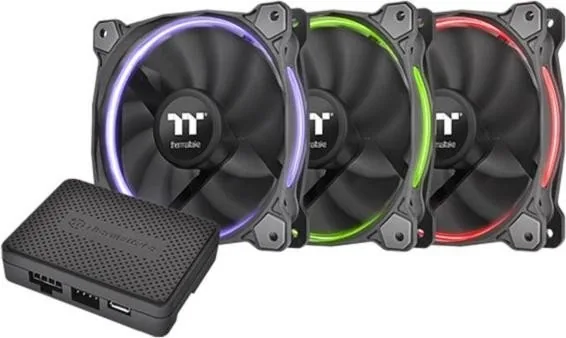
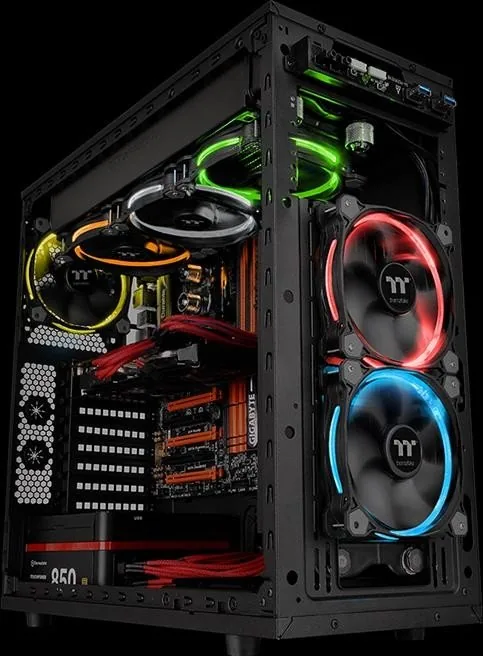
将您的电脑机箱变成视觉杰作。这款 120mm 风扇的 3 件装专为既要求卓越散热性能又追求惊艳美学的爱好者设计。每个风扇均采用专利设计,可显示 256 种鲜艳色彩,让您创建与系统主题完美匹配的灯光设置。

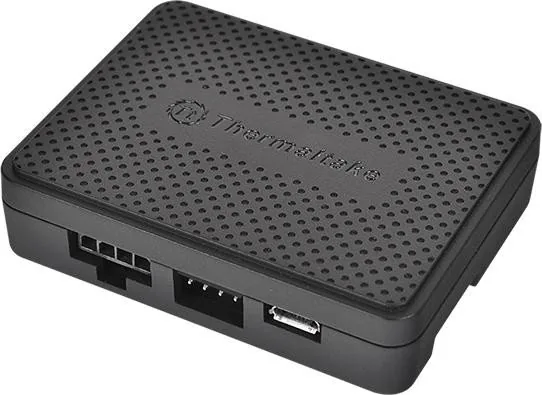
包装包含一个专用控制器,简化了管理流程,无需复杂的软件即可操作。您可以使用控制器上的 DIP 开关手动调整风扇速度和灯光模式。对于那些寻求更深层次自定义的用户,附带的软件提供广泛的控制功能,包括配置文件、从静音到高性能的风扇速度模式以及动态颜色循环。安装过程简单直接,利用标准的 4 针连接和桥接电缆来链接多个控制器(如有需要)。

无论您是在构建高性能游戏主机还是时尚的工作站,这些风扇都能提供必要的 airflow 以保持组件凉爽,同时增添高级外观。设置特定配置文件的功能确保系统在空闲任务期间保持安静,而在高强度任务期间发挥最佳性能。支持与 Windows 7 至 Windows 10 兼容,将此灯光解决方案集成到您现有的设置中既无缝又用户友好。

重要提示

  • 确保正确连接到 USB 2.0 接口以实现完整的软件功能。
  • 安装多个控制器时使用提供的桥接电缆。
  • 从官方网站下载最新驱动程序以获得最佳的操作系统支持。
M: QW-35-FL

© Copyright 2026 Manual.ly
