
Synology WRX560 Shiyong-Shuomingshu
PDF 手册 · 18 Pages
中文



快速检查
答案不正确,请重试。
使用 AI 与您的 Synology WRX560 手册聊天
从您的 Synology WRX560 手册中获取即时 AI 答案
询问有关 Synology WRX560 的任何问题。答案来自本手册及其所依据的页面。
提问 问题
您会推荐 WRX560 吗?
是 否常见问题 问题
将电源和 WAN 端口连接到调制解调器。使用浏览器或移动应用程序通过默认 IP 地址访问路由器界面以开始配置。
此回答有帮助吗?
SSID 包括序列号,密码设置为 synology,出于安全原因必须在初始设置期间更改。
此回答有帮助吗?
是的,选定型号具有双 WAN 端口,允许互联网冗余,在多个 ISP 上具有更好的负载均衡能力以增加稳定性。
此回答有帮助吗?
它使用 802.11 ax 标准运行 2.4GHz 和 5GHz 频率,以确保现代设备兼容性和高吞吐量速度。
此回答有帮助吗?
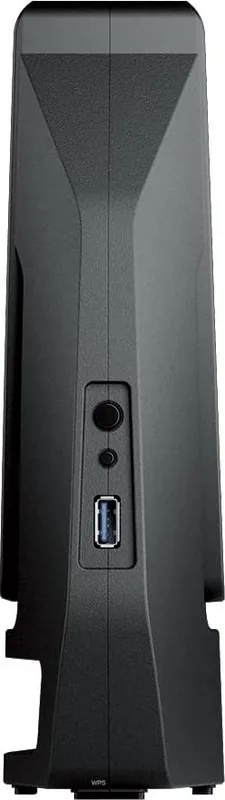
是的,有一个 USB 3.2 Gen 1 Type-A 端口可用于连接驱动器或设备用于网络文件共享和备份目的。
此回答有帮助吗?
保持远离液体、阳光直射和不稳定表面,以确保稳定运行并在使用期间防止物理或电气危险。
此回答有帮助吗?
5.15-5.25GHz 频段仅限室内使用,以减少移动卫星系统和其他无线电设备的干扰。
此回答有帮助吗?
優勢 和 劣勢
优势

- 双 WAN 支持允许互联网冗余和负载均衡,以保持需要正常运行时间的用户连接稳定。
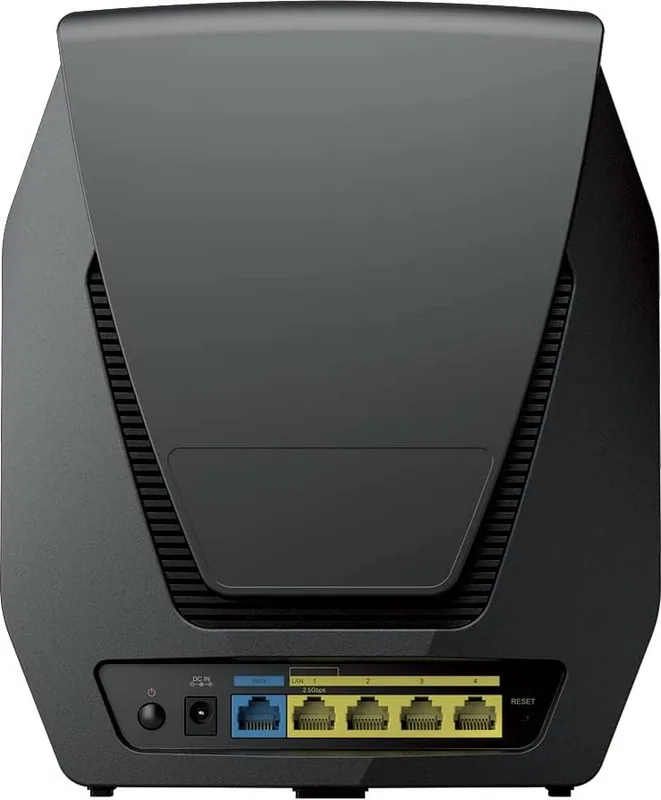
- 配备 2.5G WAN 和 LAN 端口,用于快速数据传输,轻松超过标准千兆限制。
- 支持 Wi-Fi 6 标准,具有 WPA3 安全功能,为整个家庭提供更快速、更安全的无线连接。
- 包括 USB 3.2 Gen 1 端口,用于连接外部存储或外围设备以进行网络共享。
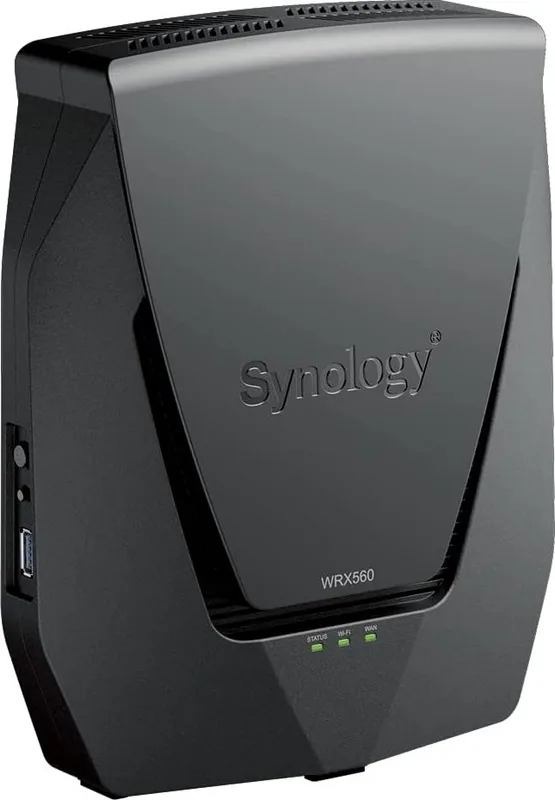
- LED 指示灯提供系统状态和网络活动的视觉反馈,以便快速故障排除问题。
缺点

- 监管规则限制特定 5.15-5.25GHz 频段仅限室内使用,在某些地区以防止干扰。
- 设置期间辐射体和身体之间需要 20cm 的最小距离以符合辐射暴露合规性。
- 必须维持操作和存储温度,以防止在日常生活使用中硬件损坏或电气故障。
- 无线天线是固定的偶极类型,这可能限制高级定向定制,供寻求范围的高级用户。
产品 规格
调制解调器
不适用
广域网端口
1x 2.5GBase-T (共享), 1x 1000Base-T
局域网端口
1x 2.5GBase-T (共享), 3x 1000Base-T
无线网络
WLAN 802.11a/b/g/n/ac/ax (Wi-Fi 6), 并发
吞吐量
574 Mbps (2.4GHz), 2402 Mbps (5GHz)
安全
WPA, WPA2, WPA3
天线
内置
端口
1x USB-A 3.0
功耗
10,8 瓦 (操作功耗), 未指定 (电源额定最大功率)
尺寸
23,29 x 19,41 x 6,60 厘米
特殊功能
MU-MIMO, IPv6, VPN 穿透 (PPTP/L2TP/IPSec), DLNA, 支持移动调制解调器 (3G/4G), WLAN 开关, 漫游, 网状网络 (共享频段)
频段规格
双频 (并发), 网状网络 (共享频段)
厂商保修
两年
802.11ax (Wi-Fi 6 / Wi-Fi 6E) 2.4GHz 吞吐量
574 Mbps (空间流:2x2, 带宽:40MHz, 调制:1024-QAM)
802.11ax (Wi-Fi 6 / Wi-Fi 6E) 5GHz 吞吐量
2402 Mbps (空间流:4x4, 带宽:80MHz, 调制:1024-QAM)
备注
802.11ax 在 2.4GHz 和 5GHz 的吞吐量评级。(802.11ax (2.4GHz) 2x2 40MHz 1024-QAM: 574 Mbps, 802.11ax (5GHz) 4x4 80MHz 1024-QAM: 2402 Mbps)
产品 描述
Synology WRX560 represents a significant step forward in home networking solutions designed for performance and reliability。This device brings advanced connectivity features to users who demand high speeds and seamless coverage throughout their living spaces。The standout feature is dedicated 2.5G ports for faster data transfer rates compared to traditional gigabit setups。This ensures that your wired connections can keep up with your internet plan without bottlenecks on the local network。Hardware supports simultaneous wireless and wired connections for flexibility。
Setting up this router is simplified through the Synology Router Manager software。Whether you connect via wired or wireless devices, the process is intuitive。Users are guided through a wizard that handles network configuration, security settings, and administration accounts easily。The default Wi-Fi credentials provide immediate access, though changing these during installation is highly recommended for security purposes。This user-friendliness helps less technical users get a robust system running quickly。Scan QR code from mobile to download the management application。
Security is paramount with modern routers, and this unit supports the latest standards including WPA3 enterprise and personal modes。The hardware includes a USB 3.2 Gen 1 port, enabling users to connect external drives or other peripherals for file sharing and backup tasks。It also supports dual WAN connections, which offers redundancy and load balancing options for critical internet access needs。Positioning the unit correctly is vital。Place it on a stable surface, centrally, and away from interference or large metal objects。
Environmental factors also play a role in operation。The device operates within standard temperature ranges but requires adherence to safety instructions regarding liquids and power supply。Regulatory compliance ensures that the radio frequency transmission remains within legal limits, particularly regarding indoor usage restrictions in specific frequency bands。The antennas are designed for high gain, ensuring strong signal propagation without requiring excessive power。Users must ensure there is a minimum distance between the radiator and the body to comply with exposure limits。
The Synology WRX560 Manual ensures safe operation。The focus on ease of use combined with high-end hardware makes it a compelling choice for modern networks looking to upgrade their infrastructure for future-proof speeds and stability。With features like mesh network support and multiple operation modes, this equipment adapts to different needs。Whether router or access point, flexibility remains a key strength。
搜索:67,706 在线手册


输入品牌或型号