Manual.ly Logo

Pico Interactive Neo 3 Link Shiyong-Shuomingshu

0.0 · 0 评分

PDF 手册 · 57 Pages

中文

M: OA-GPT-5-NAN
页面

/ 57

Loading...
d339a53343b762792cd15d5dadec7421c342 page 2
01 02
ENEN
In The Box:
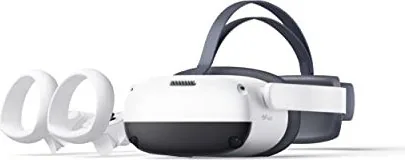
VR Headset / 2 Controllers / 4 1.5V AA Alkaline Batteries / DisplayPort Cable / Glasses Spacer / Nose Pad / 2 Controller Lanyards / AC Adapter
/ USB-C 2.0 Data Cable / Screwdriver / MiniDP Adapter / User Guide / Safety and Warranty Guide / DisplayPort Cable Connection Guide
*Product and packaging are updated regularly, and the functions and contents of the standalone headset may be upgraded in the future. Therefore, the content, appearance and
functionality listed in this manual and product packaging are subject to change and may not reect the nal product. These instructions are for reference only.
*Carefully read this user guide before using the product and share this information with any other users, as it contains important safety information. Keep the user guide as reference
for the future.
Important Health & Safety Notes
This product is designed and intended to be used in an open and safe indoor area, free of any tripping or slipping hazards. To avoid
accidents, remain conscious to the potential connes of your physical area and respect the boundary of your virtual area whenever you
see it. Be sure to wear the lanyard when using the Controllers. Make sure that there is enough space around your head and body (at least
2 meters by 2 meters) to stretch your arms to avoid damage or injury to yourself, others, and your surroundings.
This product is not recommended for children that are 12 years of age and younger. Teenagers over 12 years old should only use this product
under adult supervision.
This product is designed to accommodate most prescription glasses. Take care to wear the VR Headset in a manner in which the VR Headset lenses
do not rub or impact your prescription lenses.
Prolonged use may cause dizziness or eye fatigue. It is recommended that you take a break every 30 minutes. You may be able to relieve eye strain
by watching distant objects. If you feel any discomfort, please stop using the product immediately. If the discomfort persists, please seek medical
attention.
Do not expose the optical lenses to direct sunlight or other strong light sources. Exposure to direct sunlight may cause permanent yellow spot
damage on the screen. Screen damage caused by sunlight exposure or other strong sources of light is not covered by the warranty.
To reduce the risk of discomfort, the inter-pupillary distance (IPD) should be appropriately set for each user.
This product has an “Eye Protection Mode”, certied by TÜV Rheinland (Germany), which can protect your eyes by reducing blue light in the three
color channels using software algorithms. The screen appears yellowish in this mode and you can turn this feature on/off in "Settings"►"Display"
►“Eye Protection”.
Protect optical lenses during use and storage to prevent damage, such as scratches or exposure to strong light or direct sunlight.
∙
∙
∙
∙
∙
∙
∙
∙
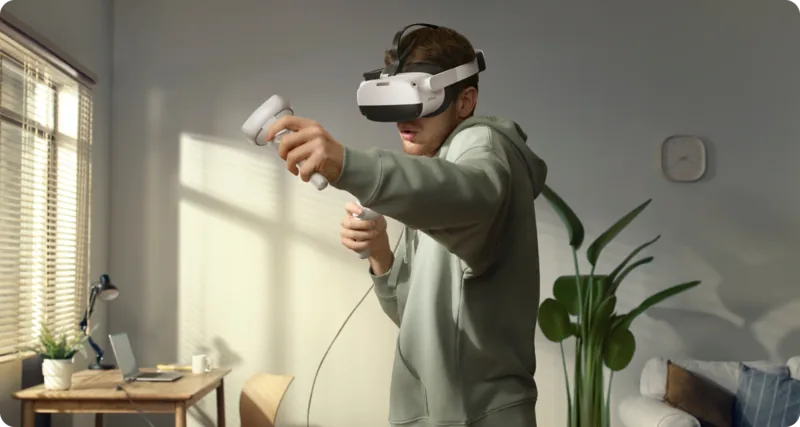
6 Degrees of Freedom VR
The device can track your translational and rotational movements in all directions (up/down, left/right, forward/backward, pitch, roll, and yaw).
Your movements in the real world will be captured and translated to what you see in the virtual world when using the appropriate content.
Ensure a safe environment before you start your VR experience.
1. Clear a safe indoor area of at least 2 meters by 2 meters. Keep the
room bright, prevent to use the space with big and single color walls,
glass, mirrors and moving pictures or objects.
2. Remove the protective lm that covers the headset front cameras.
Wear the lanyard connected to the Controllers.
3. Set up your environment by following instructions on the VR Head-
set screen.
This product can not guarantee your safety
with guardian system, you will need always pay
attention to the surrounding safety.
2m
2m

使用 AI 与您的 Pico Interactive Neo 3 Link 手册聊天

从您的 Pico Interactive Neo 3 Link 手册中获取即时 AI 答案

询问有关 Pico Interactive Neo 3 Link 的任何问题。答案来自本手册及其所依据的页面。

Neo 3 Link 维护计划

Alle 30 Minuten
Machen Sie während der Verwendung eine Pause

Machen Sie alle 30 Minuten eine Pause, um Schwindel oder Augenermüdung zu reduzieren. Schauen Sie in die Ferne, um die Augenbelastung zu lindern.

在手册中显示 (第 2 页)
Bei Bedarf
Gesichtskissen ersetzen

Ziehen Sie das alte Gesichtskissen heraus und entfernen Sie es. Führen Sie dann den Stift des neuen Kissens in die Ritzen entlang der Kanten ein.

在手册中显示 (第 8 页)
M: QW-35-FL

提问 问题

0/1000

您会推荐 Neo 3 Link 吗?

是 否

常见问题 问题

A

Neo 3 Link 是一款独立的 6 自由度 VR 头显,旨在提供具有内向外追踪、运动控制器的沉浸式虚拟现实体验,并可通过专用 PC VR DP 数据线选配与 PC 连接。

此回答有帮助吗?

A

头显的 USB-C 接口并非标准 DisplayPort。要连接到电脑,需要定制的 PC VR DisplayPort (DP) 数据线或包装与连接指南中提供的 DisplayPort 配件/适配器。

此回答有帮助吗?

A

瞳距可在三档之间调节——58 mm、63.5 mm 和 69 mm——通过将两个镜片向内或向外移动直到画面最清晰。使用表带旋钮、可拆卸面垫、眼镜间隔片和鼻垫来微调贴合度。

此回答有帮助吗?

A

护眼模式通过减少各色通道的蓝光来减轻眼部疲劳,并已获 TUV Rheinland 认证。启用后屏幕呈现更暖/偏黄色的色调;可在 设置 → 显示 → 护眼 中切换。

此回答有帮助吗?

A

在头显上进入 设置 → 控制器 → 添加控制器。按住控制器的 HOME + TRIGGER,直到红/蓝灯交替闪烁,然后按照屏幕提示完成配对。

此回答有帮助吗?

A

使用开阔、光线良好的室内区域,至少保留 2×2 米的空旷空间,佩戴控制器挂绳,每 30 分钟休息以避免眼睛疲劳,不要将镜片暴露于直射阳光下,并监督未达推荐年龄的年轻用户。

此回答有帮助吗?

A

要重置头显,请长按电源键超过 10 秒以重启。对于控制器,若按键无反应,可取出并重新装入电池以重启。

此回答有帮助吗?

M: OA-GPT-5-NAN

優勢 和 劣勢

优势

  • 支持 6 自由度内向外追踪,覆盖平移与旋转移动。
  • 注重舒适的设计:可调节表带、可拆卸面垫与眼镜间隔片。
  • 经 TUV Rheinland 认证的护眼模式,可减少蓝光与眼睛疲劳。
  • 完整配件套装(控制器、线缆、适配器、鼻垫、挂绳),可立即使用。
  • 控制器易于配对、具备固件更新指示,并有头控模式作为备用导航。
VS

缺点

  • USB-C 端口并非标准 DisplayPort——连接 PC 需专用的 PC VR DP 数据线。
  • 无内置近视(屈光度)调节;需要时用户需佩戴处方眼镜。
  • 屏幕可能因直射阳光暴露而出现永久性黄点损伤(不在保修范围内)。
  • 瞳距为离散三档设置,可能无法完全匹配每位用户的瞳距。
  • 不建议年幼儿童使用;青少年需在推荐年龄以下时由监护人监督。
M: OA-GPT-5-NAN

产品 规格

分辨率

1x 3664x1920 (单眼 1832x1920)

视角角度

98° (水平), 90° (垂直)

刷新率

90Hz

面板

LCD

追踪

6 自由度 (由内向外, 4 摄像头), 手部追踪

接口

USB-C, 蓝牙 5.1, Wi-Fi 6 (WLAN 802.11a/b/g/n/ac/ax)

特定功能

支持 3D, 畅距调节 (58-69mm, 硬件调节, 手动), 透视, 集成度克风, 集成陀声器, 独立设备, 电池供电 (5300mAh)

重量

395g

M: GO-GEM-FL-25

产品 描述

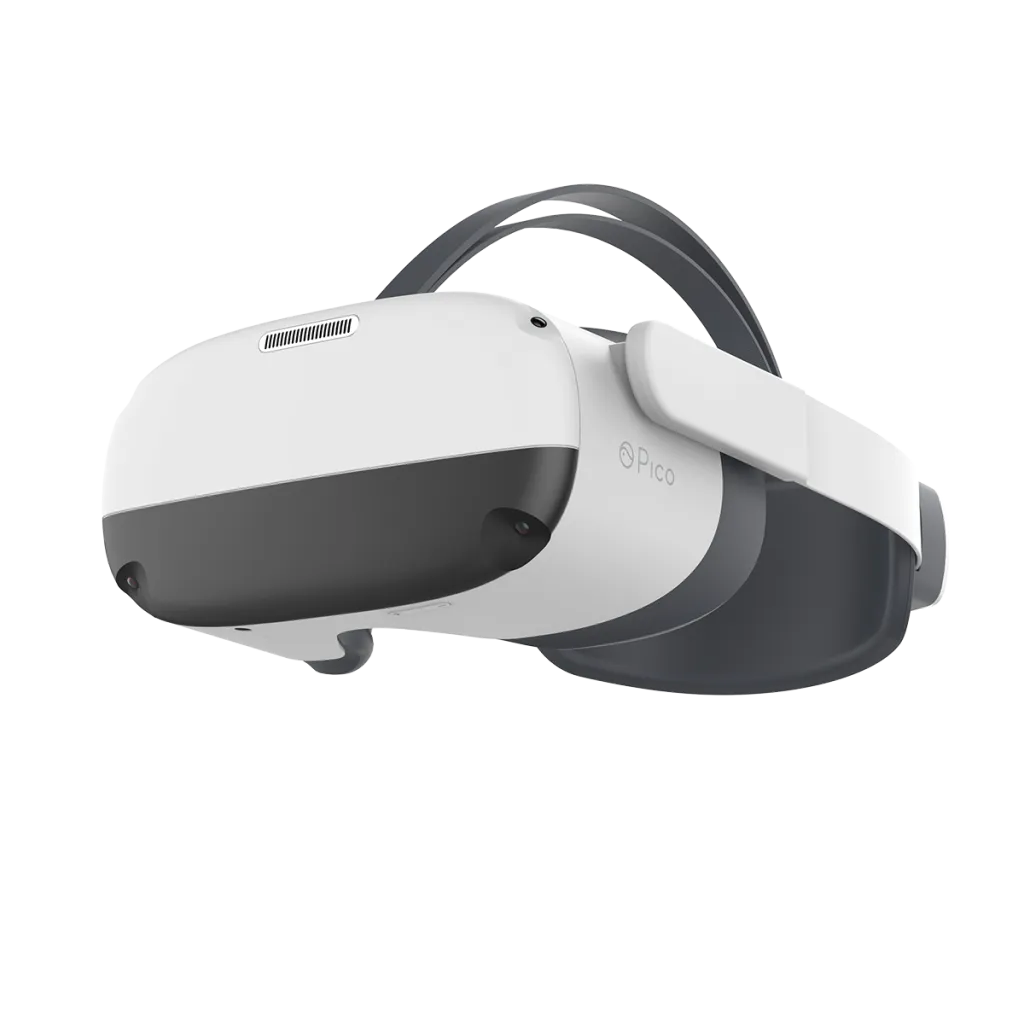
Pico Interactive Neo 3 Link 是一款多功能的独立式 VR 头显,设计用于沉浸式的 6 自由度体验,提供内向外追踪、舒适的人体工学设计,以及适合休闲和高级用户的功能配置。套装包含两个运动控制器、电池、DisplayPort 配件、眼镜间隔片、鼻垫、挂绳、交流适配器、USB-C 数据线和适配器,Neo 3 Link 可开箱即用并通过专用 DP 数据线实现 PC VR 连接。

设计与舒适性

舒适性是 Neo 3 Link 的核心:可调节的表带旋钮、可拆卸面垫以及支持配戴处方眼镜(镜框宽度 < 160 mm),便于贴合佩戴。瞳距(IPD)提供三档可调设置(58 mm、63.5 mm、69 mm),有助于用户获得清晰画面并减少眼睛疲劳。附加配件如眼镜间隔片和鼻垫可帮助定制贴合并阻挡光线泄漏以增强沉浸感。

追踪、控制与交互

该头显提供 6 自由度追踪,可将平移和旋转映射到虚拟世界。两个无线控制器包含摇杆、扳机、握把、HOME 和应用/返回按钮以及追踪环。控制器支持配对、固件更新、睡眠/唤醒行为,并可通过头显设置添加或重新配对。当控制器不可用时,头控模式允许基本导航。

显示、眼睛保护与安全

Neo 3 Link 包含经 TUV Rheinland 认证的护眼模式,通过软件算法减少蓝光,使屏幕显得更暖(偏黄色)以缓解眼睛疲劳。建议用户每 30 分钟休息一次,避免将镜片暴露在直射阳光下(直射阳光可能永久损坏屏幕),并保持至少 2×2 米的安全活动区域。设备提醒监护系统无法完全保证安全,12 岁以下的儿童(某些市场为 13 岁)应在监护下使用。

操作与维护

头显和控制器上的电源与状态指示灯可清晰显示电量与充电状态。按键提供短按与长按功能,用于主页、重置中心、开关机、睡眠/唤醒和硬件重置。若控制器无响应,可通过取出并重新装入电池来重启。面垫更换和配件安装操作简单,Pico VR 伴侣应用(Android/iOS)可扩展功能。

注意事项

  • USB-C 接口并非标准 DisplayPort;连接 PC 需要定制的 PC VR DP 数据线或包装和连接指南中所示的 DisplayPort 配件/适配器。
  • 由直射阳光导致的屏幕损坏不在保修范围内。
  • 建议的活动区域:至少 2 m × 2 m;始终为控制器配挂绳。
M: OA-GPT-5-NAN

© Copyright 2026 Manual.ly