
Flashforge Finder 3 Shiyong-Shuomingshu
PDF 手册 · 40 Pages
中文



快速检查
答案不正确,请重试。
使用 AI 与您的 Flashforge Finder 3 手册聊天
从您的 Flashforge Finder 3 手册中获取即时 AI 答案
询问有关 Flashforge Finder 3 的任何问题。答案来自本手册及其所依据的页面。
Finder 3 维护计划
提问 问题
您会推荐 Finder 3 吗?
是 否常见问题 问题
进入控制并选择调平。将 A4 纸放在板上,使用触摸屏箭头或物理螺母调整距离,直到感觉到轻微摩擦且不刮伤纸张。对三个点重复此操作。
此回答有帮助吗?
可以,但不推荐在极冷环境中使用。为防止翘曲,确保室温在 18 到 30 摄氏度之间,并在构建板上涂抹胶水以获得更好的附着力。
此回答有帮助吗?
Finder 3.0 支持 STL、OBJ、AMF、3MF、FPP、BMP、PNG、JPG 和 JPEG 文件用于切片和输入。输出文件包括 GX、G 和 GCODE 格式,与标准切片器兼容。
此回答有帮助吗?
首先,进入设置并启用 Wi-Fi。输入您的网络密码,并注意信息菜单中显示的 IP 地址。然后在计算机上打开 FlashPrint,选择连接机器,输入 IP 地址并点击连接。
此回答有帮助吗?
将喷嘴加热到您耗材的适当温度。使用提供的针头轻轻清洁尖端。如果问题持续,检查挤出机齿轮并确保耗材路径没有阻塞。
此回答有帮助吗?
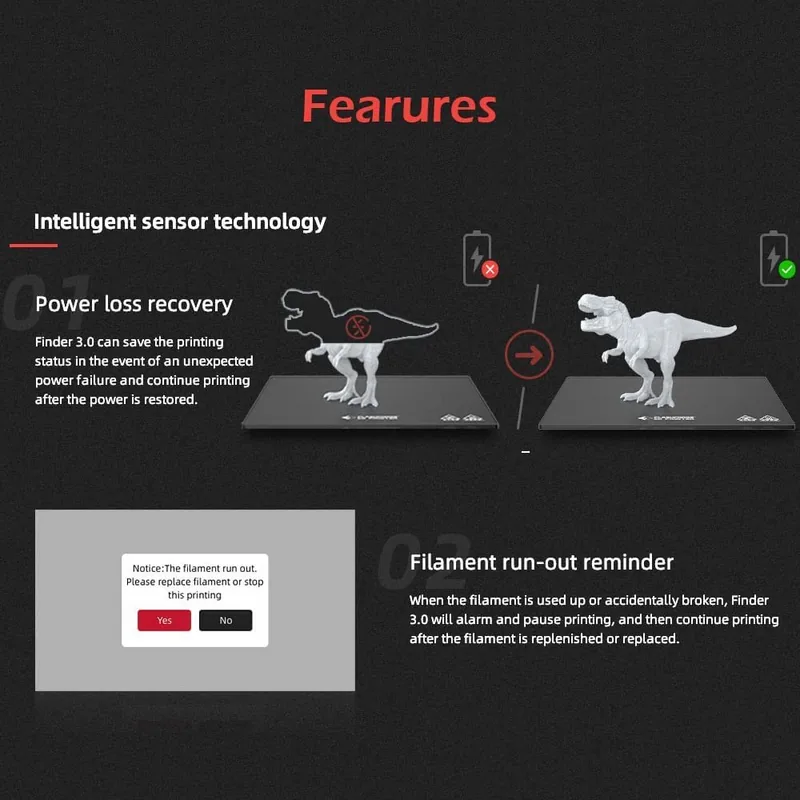
是的,Finder 3.0 配备了耗材检测传感器,当打印作业期间材料耗尽时会向您发出警报,有助于防止打印失败。
此回答有帮助吗?
優勢 和 劣勢
优势

- 直观的触摸屏界面简化了所有技能水平的操作
- 双构建板选项(玻璃和柔性)提供多功能的附着力解决方案
- 多种连接方法,包括 Wi-Fi、USB 和内部内存打印
缺点

- 构建体积与大型工业级机器相比有限
- 需要手动床面调平,这对初学者来说可能耗时
- 在低于 18 摄氏度的环境中,ABS 打印可能会面临翘曲问题
产品 规格
Prozess
Fused Filament Fabrication (FFF)
Konfiguration
1x beweglicher Druckkopf (vor/zurück, links/rechts), 1x bewegliche Druckplatte (hoch/runter)
Konstruktion
Fertiges Modell, offene Baukammer/teilweise geschlossene Baukammer, All-Metall-Rahmen, integrierter Controller, integrierter Fadenhalter
Materialempfehlungen des Herstellers
1,75-mm-Filament, offenes System, PETG/PET, PLA, TPC, TPE, TPU, Flex
Bauvolumen
19,5 x 20 x 19,5 cm (B×T×H)
Düsenkonfiguration
1x Druckkopf (1x Mono-Feed-Düse, 0,4 mm, Messing, austauschbar, 50-260 °C), 1x Direktextruder
Schichthöhe
0,1-0,4 mm
Genauigkeit X
0,011 mm
Genauigkeit Y
0,011 mm
Genauigkeit Z
0,003 mm
Geschwindigkeiten
max. 18 cm/s Drucken (5-8 cm/s empfohlen)
Druckbett
quadratisch (20 x 20 cm), 1x beschichtetes Glas, 1x Kunststoff, beheizt (0-110 °C), abnehmbar (Magnetschnalle), flexibel (Kunststoffbeschichtung), unterstützte automatische Bett-Nivellierung
Schnittstellen
1x USB-B 2.0 (Host), WLAN
Display
10,9 cm diagonal, Farbe, Touchscreen
Steuerung
Touchscreen, 8 GB eingebauter Speicher, optional über Computer, optional über Cloud
Netzteil
115/230 V, 350 W
Abmessungen
40,6 x 47 x 41,7 cm (B×T×H)
Gewicht
12,2 kg (leer)
Farbe
rot/schwarz (Gehäuse), schwarz (Druckbett)
Paketinhalt
1x Drucker, 1x 50 g PLA-Filament, Werkzeugset, Reinigungskit, Haftmittel, 1x Schutzbrille, 1x Ersatzdüse, 16-GB-USB-Stick
Funktionen
Filamentsensor, automatisches Fortsetzen nach Stromausfall, Beleuchtung der Baukammer
Hersteller-Garantie
ein Jahr
产品 描述
Flashforge Finder 3.0: 您的轻松 3D 打印门户
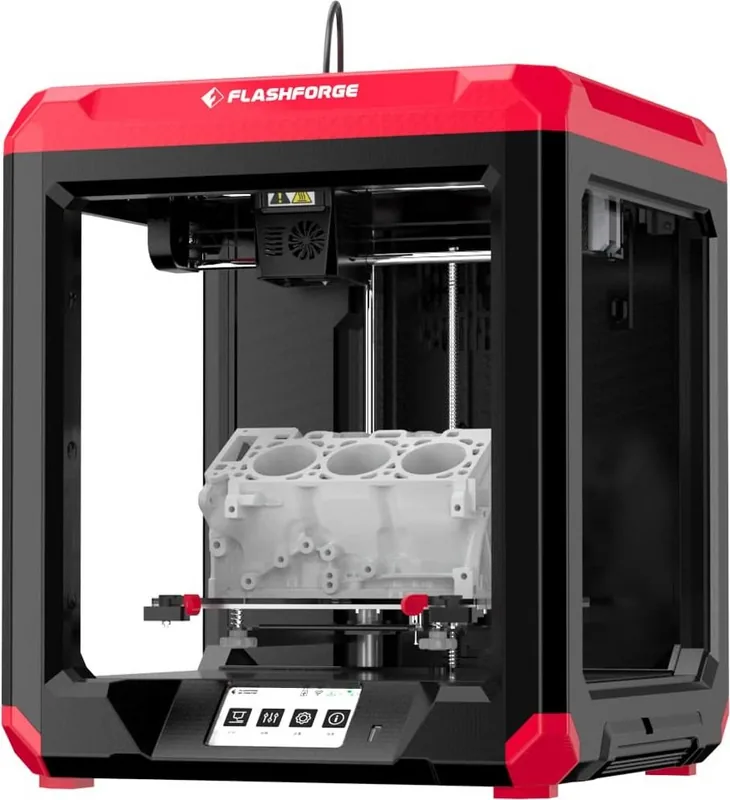
Flashforge Finder 3.0 是寻求桌面制造之旅可靠性的业余爱好者和专业人士的首选。这台紧凑而强大的机器弥合了复杂工业设备和用户友好的家用打印机之间的差距。它设计有直观的界面,将复杂的增材制造过程简化为无缝体验。无论您是在原型制作快速想法还是生产功能性零件,Finder 3.0 都能以最小的设置时间提供一致的结果。
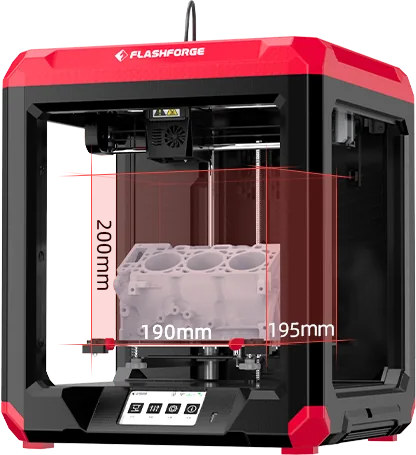
该设备的核心是其强大的 FDM 技术,能够处理包括 PLA、PETG 和 TPU 在内的各种材料。打印机拥有 190 乘 195 乘 200 毫米的宽敞构建体积,允许进行大量项目而不牺牲精度。用户赞赏双构建板选项;默认玻璃平台提供高精度打印所需的卓越平整度,而可选的柔性磁性板确保模型易于移除。这种多功能性满足了从精致迷你模型到耐用机械部件的各种打印需求。
连接性在现代工作流中起着关键作用,Finder 3.0 在此方面也表现出色。它支持内部内存打印、USB 棒操作以及通过 Wi-Fi 的无线连接。这种灵活性允许用户使用 FlashPrint、Cura 或 Simplify 3D 等流行切片软件直接从计算机打印。4.3 英寸彩色触摸屏的加入进一步增强了可用性,提供清晰的视觉反馈,并轻松导航语言、调平和固件更新等设置。
安全性和维护在设计理念中得到优先考虑。封闭结构保护用户免受热喷嘴和移动部件的伤害,内置传感器检测耗材存在和喷嘴温度异常。定期维护简单直接,仅需偶尔清洁和润滑导轨。支持多种语言和全面的故障排除部分,Finder 3.0 确保每位用户开箱即用即可取得成功。
搜索:67,706 在线手册


输入品牌或型号