
Manual.ly Logo

Arcam AV40 Shiyong-Shuomingshu

0.0 · 0 评分

PDF 手册 · 384 页

中文

M: gpt-5.6-terra
页面

/ 384

Loading...
a26ecde5c5e7eeb0f46a53a488dc5b57b13f page 16
EN-20
Remote Control
The universal remote controller
The Receiver is supplied with a sophisticated ‘universal’
backlit remote control that can control up to eight devices.
It is pre-programmed for use with the Receiver and many
other Arcam products (FM/DAB tuners, CD players and BD
players).
With its extensive built-in library of codes, it can also be used
with thousands of third party audio-visual components –
TVs, satellite and set-top boxes, PVRs, CD players, etc. See the
list of codes at the back of this handbook.
It is also a ‘learning’ remote, so you can teach it almost any
function from an old single-device remote.
Using the remote control
Please keep in mind the following when using the remote
control:
Ensure there are no obstacles between the remote
control and the remote sensor on the Receiver. The
remote has a range of about 7 metres. (If the remote
sensor is obscured, the Z1 IR remote control input
jack on the rear panel is available. Please consult your
dealer for further information.)
Remote operation may become unreliable if strong
sunlight or fluorescent light is shining on the remote
sensor of the Receiver.
Replace the batteries when you notice a reduction in
the operating range of the remote control.
Inserting batteries into the
remote control
1. Open the battery compartment on the back of
the handset. To do this, press the catch on the
battery cover as indicated by the arrow on the
catch and remove the battery cover.
2. Insert two ‘AAA’ batteries, as indicated in the
battery compartment.
3. Replace the battery cover. To do this, locate the lug
on the battery cover into the corresponding hole
on the short edge of the battery compartment.
Now press the opposite end of the battery cover
(with the catch) down so that the cover is flush
with the main body of the remote and the catch
clicks.
Notes on batteries:
Incorrect use of batteries can result in hazards such as
leakage and bursting.
Do not mix old and new batteries together.
Do not use non-identical batteries together –
although they may look similar, different batteries
may have different voltages.
Ensure the plus (+) and minus (-) ends of each
battery match the direction indicated in the battery
compartment.
Remove batteries from equipment that is not going
to be used for a month or more.
When disposing of used batteries, please comply
with governmental or local regulations that apply in
your country or area.
Useful information
Backlight
A backlight comes on for eight seconds whenever a key is
pressed. This helps you use the handset in subdued lighting
conditions.
LED blinks
Short blinks indicate a valid key press.
Multiple short blinks convey information (such as a device
code) or signal the beginning and successful completion of
a programming sequence.
The symbol ‘
*
’ is used in the manual to indicate an LED
blink.
Timeouts and unassigned keys
Time out – After 30 seconds the remote exits the
programming state and returns to normal operation.
Stuck key timeout – After any key is pressed continuously
for 30 seconds, the remote stops sending IR transmission to
conserve battery life. The remote remains off until all keys are
released.
Unassigned keys – the remote ignores any unassigned key
presses for a particular Device Mode and does not transmit
IR.
Low voltage indicator
When the batteries are running down, the backlight flashes
briefly whenever you press a button.
If this happens, fit two new AAA alkaline batteries as soon
as possible.

使用 AI 与您的 Arcam AV40 手册聊天

从您的 Arcam AV40 手册中获取即时 AI 答案

询问有关 Arcam AV40 的任何问题。答案来自本手册及其所依据的页面。

AV40 维护计划

维护到期时提醒我
如果闲置一个月或更长时间
从遥控器中取出电池

如果设备将闲置一个月或更长时间,请从遥控器中取出电池,以防止漏液和损坏。

在手册中显示 (第 22 页)
根据需要
用干布清洁机身

清洁前请拔掉电源插头。使用柔软、无绒的干布擦拭机身。请勿使用化学溶剂、喷雾剂或抛光剂。

在手册中显示 (第 4 页)

免费维护提醒

根据您的购买日期确定提醒时间。始终免费,随时可取消订阅。

提交即表示您同意隐私政策。您可以在任何邮件中一键取消订阅。
M: qwen/qwen3.8-flash

提问 问题

0/1000

您会推荐 AV40 吗?

是 否

常见问题 问题

A

Arcam AV40 是一款适用于高端家庭影院系统的环绕声处理器。它负责音源切换、音频解码、房间校正和音量控制,然后通过前级输出将音频发送至外接功率放大器。

此回答有帮助吗?

A

否。AV40 的每个扬声器声道都需要外接功率放大器。它提供平衡 XLR 和 RCA 前级放大器输出,可连接兼容的放大设备。

此回答有帮助吗?

A

它支持 Dolby Atmos、Dolby Vision、DTS:X、DTS Virtual:X、IMAX Enhanced 和 Auro-3D。这些格式可配合合适的音源内容、扬声器和系统配置实现多维度播放。

此回答有帮助吗?

A

AV40 可支持最多 16 个扬声器的系统,包括前置、中置、环绕、后环绕和高度声道。它还支持连接最多四个有源低音炮。

此回答有帮助吗?

A

是。HDMI 输出 1 支持 eARC。配合兼容电视,电视内置调谐器或应用程序的音频可通过 HDMI 连接回传至 AV40。

此回答有帮助吗?

A

Dirac Live 使用校准麦克风和电脑应用程序测量扬声器及聆听房间。它会计算扬声器延迟、电平和房间校正滤波器,以帮助改善音色平衡和环绕声衔接。

此回答有帮助吗?

M: gpt-5.6-terra

優勢 和 劣勢

优势

  • 支持 Dolby Atmos、DTS:X、Auro-3D、IMAX Enhanced 和 DTS Virtual:X,可实现沉浸式家庭影院播放。
  • 可处理最多 16 个扬声器声道,包括高度扬声器和最多四个有源低音炮。
  • 配备平衡 XLR 和 RCA 前级输出,可灵活搭配多种外部放大器。
  • Dirac Live 房间校正可测量扬声器延迟、电平和房间声学特性,并可存储三条 EQ 曲线。
  • 提供丰富连接功能,包括七个 HDMI 输入、eARC、Wi-Fi、Bluetooth、以太网、USB、FM、DAB+、RS232、IR 和触发器。
VS

缺点

  • 所有扬声器声道均需要外接功率放大器,会增加成本和安装复杂度。
  • HDMI 输入为 HDMI 2.0b,对于寻求较新 HDMI 2.1 游戏功能的用户而言可能不太适合。
  • 高级扬声器布局和 Dirac Live 校准需要时间、仔细设置以及兼容的 PC 或 Mac。
  • 最佳效果高度依赖正确的扬声器摆位、房间声学条件和准确校准。
  • 其丰富的控制功能和配置菜单对于首次使用家庭影院的用户而言可能较为复杂。
M: gpt-5.6-terra

产品 规格

类型

A/V 前置放大器

声道

7.1

音频解码器

Auro-3D、Dolby Atmos、DTS Virtual:X、IMAX Enhanced

音频连接

4 个数字音频输入(同轴)、2 个数字音频输入(光纤)、数字音频输出(光纤)、6 个立体声线路输入(RCA)、2 个前级输出(RCA)、7.1 多声道前级输出(RCA)、9.1.6 多声道前级输出(XLR)、低音炮输出(RCA)

视频连接

8 个 HDMI 输入、2 个 HDMI 输出

附加连接

USB-A、RJ-45

无线连接

Wi-Fi(WLAN)

颜色

灰色

M: gpt-5.6-terra

产品 描述

Arcam AV40 - 免费阅读、下载和打印

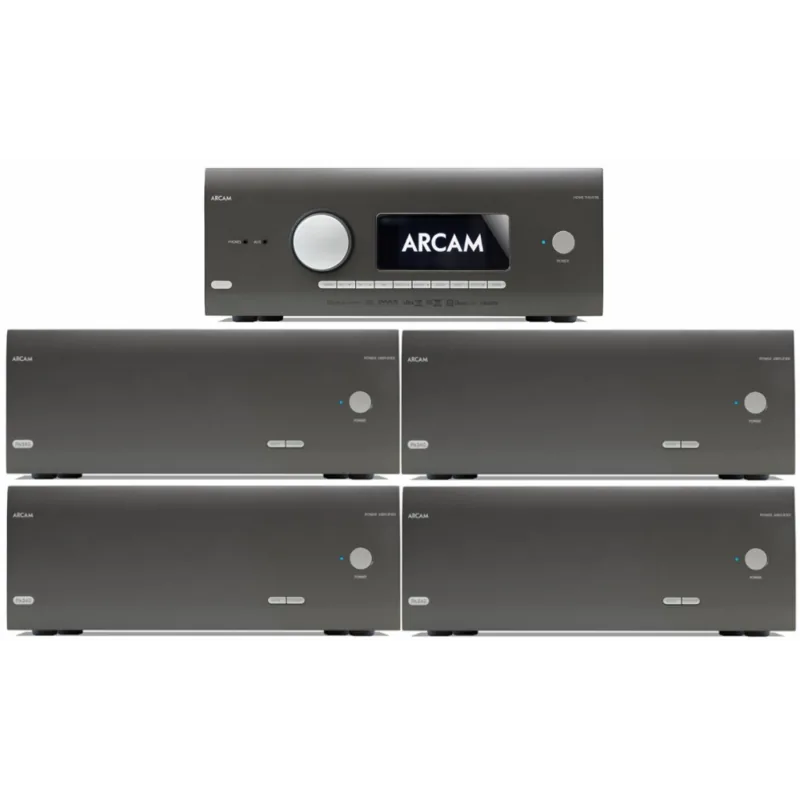
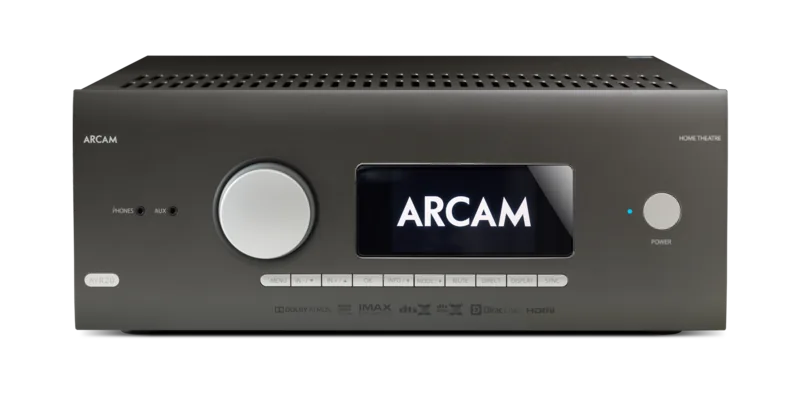
Arcam AV40 是一款高性能家庭影院处理器,专为追求细节丰富、沉浸式音效和灵活系统设计的用户打造。作为 Arcam HDA 系列的一员,它结合了先进的环绕声解码、丰富的连接功能、网络功能和均衡音频输出,适用于严肃的多声道娱乐系统设置。该型号设计为与外接功率放大器配合使用,让爱好者能够自由选择适合其扬声器和房间的功放。

具备灵活处理能力的影院级声音

AV40 支持主要沉浸式音频格式,包括 Dolby Atmos、DTS:X、IMAX Enhanced、Auro-3D 和 DTS Virtual:X。其处理能力可支持最多 16 个声道的复杂扬声器配置,包括环绕声、后环绕声、高度声道和低音炮声道。这使其成为专用影院房间或精心规划的客厅系统的坚实基础。

Dirac Live 房间校正功能有助于根据聆听空间的声学特性调整播放效果。通过校准麦克风和兼容电脑,系统可测量扬声器电平、延迟和房间特性,以创建校正曲线。最多可存储三条曲线,可分别针对电影、音乐或不同聆听偏好进行调校。

面向现代音源的连接功能

AV40 配备七个支持 HDCP 2.2 的 HDMI 2.0b 输入,可作为蓝光播放器、游戏主机、媒体设备和机顶盒的中央连接点。HDMI 输出 1 支持 eARC,使兼容电视能够将音频回传至处理器。第二个 HDMI 输出和 Zone 2 HDMI 连接为多显示器和多房间安装提供了实用选项。

数字、模拟、以太网、Wi-Fi、Bluetooth、USB、FM 和 DAB+ 连接使其用途不止于影片播放。流媒体支持包括 AirPlay 2、Chromecast 和带 aptX 的 Bluetooth,网络连接则支持在线音频和便捷更新。AV40 还配备 RS232、IR 和 12V 触发连接,可用于定制控制系统以及与外部设备协同运行。

专为严肃系统搭建而设计

平衡 XLR 输出与 RCA 前级输出并列,可帮助 AV40 顺畅接入广泛的外部功率放大器。四个低音炮输出在调校房间内低频表现时提供了额外灵活性。随附的通用学习型遥控器还可控制兼容音源组件,减少对多个遥控器的需求。

注意: 要充分发挥 AV40 的性能,精心的扬声器摆位、准确的距离设置和充足的通风至关重要。每个扬声器声道都需要外接功率放大器。

Arcam AV40 - 免费阅读、下载和打印,是在搭建高端环绕声系统之前了解该处理器功能、设置注意事项和控制选项的实用起点。

M: gpt-5.6-terra

© Copyright 2026 Manual.ly