
TP-Link TL-SG105 Desktop Gigabit Switch, 5x RJ-45 Manual
PDF manual · 2 Pages
English



Advantages and Disadvantages
Advantages

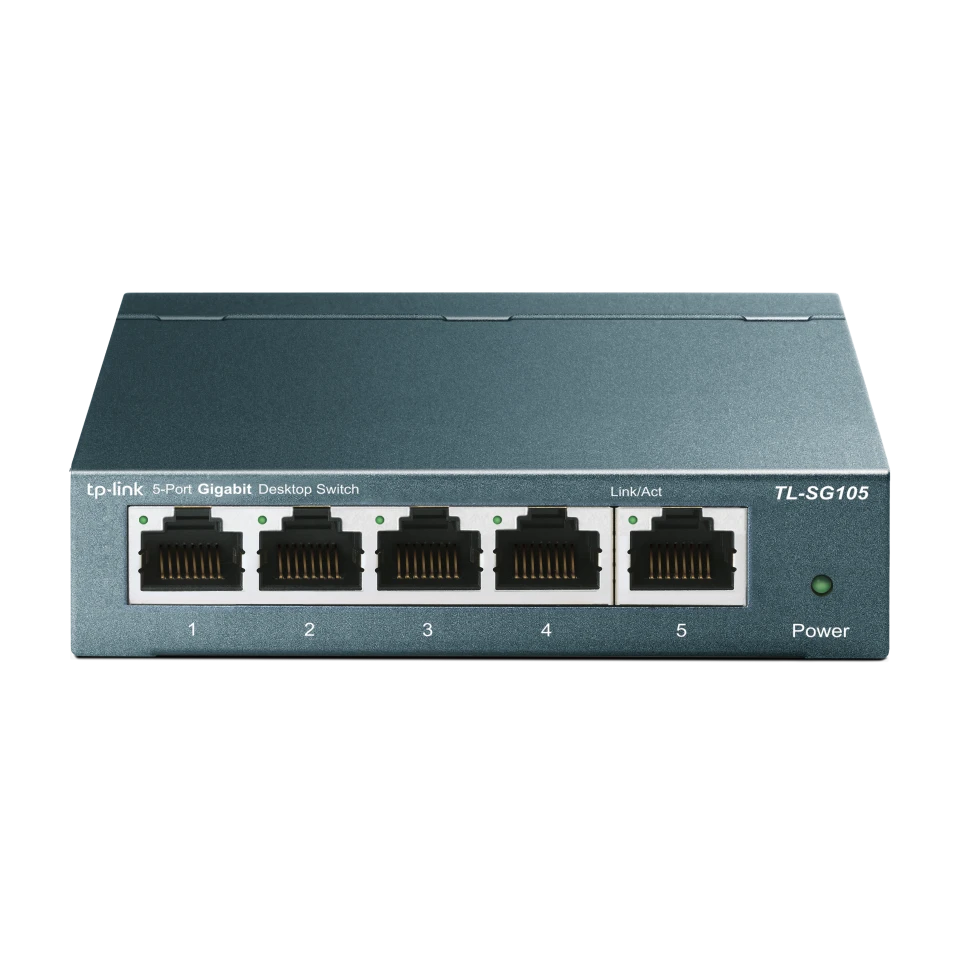
- Five auto‑negotiation gigabit RJ‑45 ports in a compact metal chassis
- True plug‑and‑play with auto‑MDI/MDIX and store‑and‑forward reliability
- QoS (802.1p/DSCP) and IGMP Snooping for smoother media and VoIP
- Fanless, silent operation with energy‑efficient design
- Clear LED feedback for quick link and activity diagnostics
Disadvantages

- Unmanaged: no VLAN configuration or web interface
- No Power over Ethernet support on ports
- Limited to 5 ports; expansion requires another switch
- No wall mounting hardware in some packages
- No SFP or fiber uplink options
Ask a Question
Frequently Asked Questions
Any Ethernet-enabled device: PCs, NAS, printers, IP cameras, smart TVs, game consoles, and access points. Each of the 5 RJ‑45 ports auto‑negotiates 10/100/1000 Mbps and supports auto‑MDI/MDIX, so straight or crossover cables work.
Is this answer helpful?
No. It is plug-and-play. Connect the power adapter, then attach your Ethernet devices. The switch learns MAC addresses automatically and forwards frames using store-and-forward for reliable delivery.
Is this answer helpful?
Power LED shows the unit is on. Per‑port LEDs: green indicates a 1000 Mbps link, yellow indicates 10/100 Mbps. Flashing means data activity. If LEDs are off, check cable seating, device power, and cable length (<100 m).
Is this answer helpful?
Yes. QoS (802.1p/DSCP) prioritizes latency‑sensitive traffic, and IGMP Snooping optimizes multicast streams like IPTV. This reduces jitter and helps maintain smooth audio and video.
Is this answer helpful?
It is an unmanaged switch. There is no web UI, CLI, or VLAN configuration. If you need VLANs, choose a smart or managed switch model from TP-Link’s portfolio.
Is this answer helpful?
Use Cat5e or higher Ethernet cables up to 100 meters per segment. Ensure connectors are firmly seated. For best performance and future‑proofing, Cat6 or Cat6a is recommended.
Is this answer helpful?
It is fanless and silent. The energy‑efficient design adapts power to link status and cable length, helping reduce electricity use while maintaining stable gigabit performance.
Is this answer helpful?
Product Description

TP-Link TL-SG105 Desktop Gigabit Switch, 5x RJ-45 Manual
A compact gigabit upgrade for home and office
The TP-Link TL-SG105 Desktop Gigabit Switch brings wired stability and speed to small networks. With five auto‑negotiation RJ‑45 ports, it boosts performance for streaming, gaming, IP phones, printers, and desktop workstations without complex setup.
Seamless gigabit, simple setup
Plug-and-play installation means no configuration is required. Each port supports 10/100/1000 Mbps with auto‑MDI/MDIX, so you can connect any Ethernet device using standard cables up to 100 meters. The store-and-forward architecture ensures accurate data forwarding, while automatic MAC learning optimizes traffic handling.
Smart traffic handling and visibility
Quality of Service (802.1p/DSCP) prioritizes time‑sensitive traffic, improving VoIP clarity and video smoothness. IGMP Snooping enhances multicast efficiency for IPTV and streaming. Clear LED indicators let you confirm power, link status, and activity at a glance—green for gigabit, yellow for 10/100.
Built to run cool and quiet
Its fanless metal design keeps noise to a minimum and reliability high. The switch operates from 0°C to 40°C with non‑condensing humidity, suitable for desktops, media centers, and small racks. Energy‑efficient hardware helps reduce power consumption by adjusting to link status and cable length.
Why it fits your toolkit
If your router’s limited LAN ports are holding back your devices, this compact switch expands your wired capacity instantly. Whether you’re segmenting a small office, stabilizing a smart home, or adding bandwidth for NAS backups, the TL‑SG105 delivers consistent gigabit throughput with minimal fuss.
Notes
- Use quality Cat5e or better cables for gigabit speeds (up to 100 m).
- Check LEDs: green = 1000 Mbps, yellow = 10/100 Mbps, flashing = activity.
- Ensure correct power input and a live outlet if the power LED is off.
- Avoid moisture and provide ventilation for reliable operation.
Search for 1 Mio. Manuals online


Type-in Brand or Model