
Medisana Manuals
Manuals

Categories

Medisana Manuals: Your Complete Guide to Understanding and Using Medisana Devices
Introduction
Medisana Manuals serve as essential resources for users who own Medisana health and wellness devices. Whether you’re setting up a blood pressure monitor, optimizing a smart scale, or learning the correct technique for a massage device, these manuals provide step-by-step guidance, safety instructions, troubleshooting tips, and maintenance advice. This comprehensive description explains what Medisana Manuals include, how to use them effectively, where to find them, and best practices for interpreting technical information to ensure accurate and safe operation of your device.
What Are Medisana Manuals?
Purpose and Scope
Medisana Manuals are official user guides created to help consumers understand setup, operation, safety, and care of Medisana products. They cover a wide array of categories, including:
- Blood pressure monitors and pulse oximeters
- Thermometers and fever measurement devices
- Scales and body composition analyzers
- Massage devices and muscle relaxation tools
- Humidifiers, air purifiers, and wellness products
- Smart health devices connected via apps
Types of Documentation
- Quick Start Guides: Concise setup steps to begin using the device quickly.
- Full User Manuals: Detailed information on features, modes, maintenance, and error handling.
- Safety and Compliance Sheets: Regulatory compliance, disposal guidelines, and safety warnings.
- App Integration Guides: Instructions for pairing, syncing, and interpreting app data.
Key Elements Found in Medisana Manuals
Safety Instructions
Manuals prioritize safety, outlining precautions such as proper device placement, contraindications, safe usage duration, and care for sensitive users (e.g., children, pregnant users, or those with pacemakers). They also include electrical safety (for mains-powered units), battery handling, and environmental considerations.
Product Overview
You’ll find labeled diagrams showing components, buttons, sensors, displays, and accessories. These visuals clarify how to insert batteries, connect power, attach cuffs or probes, or assemble attachments.
Setup and Installation
Instructions typically include:
- Unboxing and checking contents
- Battery insertion or charging
- Assembling attachments or accessories
- Initial calibration or positioning
- Language selection and display settings
Operating Instructions
Step-by-step procedures explain how to start measurements, select modes, adjust intensity, set timers, and store readings. For connected devices, manuals guide Bluetooth pairing, app permissions, data syncing, and firmware updates.
Measurement Guidance
For health metrics like blood pressure, body composition, or temperature, manuals explain correct posture, placement (e.g., arm cuff position), measurement timing, and factors that may influence results (e.g., caffeine, exercise, ambient temperature).
Interpreting Results
Manuals often include reference ranges, symbol explanations, trend interpretation, and advice to consult healthcare professionals for abnormal readings. They clarify the difference between screening information and medical diagnosis.
Maintenance and Cleaning
Users learn how to clean surfaces, replace consumables (e.g., batteries, cuffs), avoid liquids in electronic parts, and store devices properly. Care routines prolong device life and maintain accuracy.
Troubleshooting and Error Codes
Common issues—such as failed measurements, pairing problems, or display errors—are addressed with stepwise solutions and error code meanings. Manuals suggest when to repeat measurements, reset devices, or contact support.
Technical Specifications
You’ll find details such as measurement ranges, accuracy tolerances, operating conditions (temperature/humidity), power requirements, dimensions, weight, materials, and compliance standards (e.g., CE marking).
How to Use Medisana Manuals Effectively
Before First Use
- Read safety sections thoroughly.
- Verify parts and accessories.
- Follow initial setup in the recommended order.
- Perform any required calibration.
During Regular Use
- Reference operation steps for correct sequence.
- Keep a copy of symbol legend nearby.
- Use recommended conditions (resting state, correct posture, stable environment).
When Issues Arise
- Look up error codes and troubleshooting flowcharts.
- Confirm batteries, connections, and placement.
- Reset or re-pair devices as instructed.
Maintenance Routine
- Clean after each use if required.
- Store in dry, stable temperatures.
- Replace consumables on the recommended schedule.
Common Sections and Symbols Explained
Symbols
- Power, start/stop, and mode icons
- Battery level indicators
- Bluetooth and connectivity status
- Heart, pulse, and measurement progress symbols
- Error and warning triangles
Section Headings
- Important Safety Instructions
- Intended Use and Indications
- Package Contents
- Device Overview and Controls
- Step-by-Step Operation
- Measurement Best Practices
- Cleaning and Maintenance
- Troubleshooting and FAQ
- Technical Data
- Disposal and Recycling
Product Categories and Typical Guidance
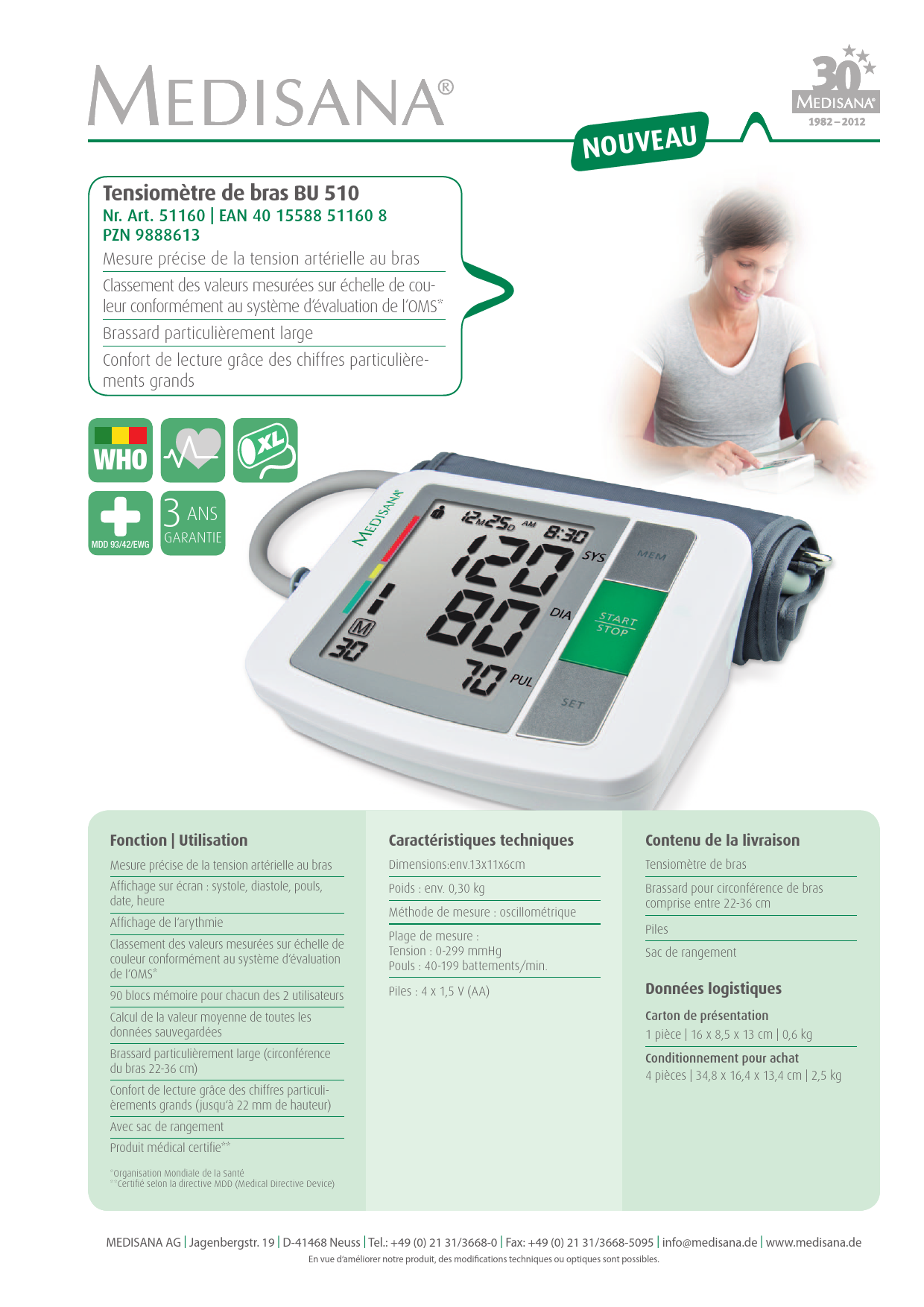
Blood Pressure Monitors
- Cuff size and positioning at heart level
- Rest period before measurement
- Multiple measurements and averaging
- Interpreting systolic/diastolic/pulse and irregular heartbeat indicators
Thermometers
- Ear vs. forehead vs. oral/axillary differences
- Probe hygiene and ambient temperature effects
- Proper positioning and waiting times
Scales and Body Composition Analyzers
- Barefoot use for bioimpedance models
- Consistent timing (e.g., morning, before meals)
- Hydration effects on readings
- Profile setup and user recognition
Massage Devices
- Target areas and duration guidance
- Heat modes and safety for sensitive skin
- Contraindications (inflammation, vascular issues)
Air Quality and Humidifiers
- Water type and filter maintenance
- Placement away from walls or electronics
- Cleaning schedules to prevent mineral buildup
Smart Connected Devices
-
Pairing steps and app permissions
-
Data privacy and account setup
-
Firmware updates and syncing tips
Where to Find Medisana Manuals
Official Sources
- Medisana Website: Product pages usually host downloadable PDFs.
- Support Portals: Model-specific manuals, FAQs, and software updates.
Packaging and Inserts
- Printed quick guides in the box with links or QR codes to full manuals.
Retailers and Authorized Partners
- Product listings sometimes include manual links or support references.
Tips for Identifying the Correct Manual
Model Verification
- Check the exact model number on the device label or packaging.
- Match regional variants to ensure correct language and compliance details.
Version and Language
- Download the latest manual version.
- Choose the proper language for accuracy.
Accessing Digital Content
- Ensure you have a PDF reader.
- Save a local copy for offline access.
Safety and Compliance Considerations
Intended Use
Manuals clarify whether a device is for wellness screening or approved medical monitoring. Follow intended-use statements to avoid misuse.
Regulatory Compliance
Technical data often lists standards and certifications. Adhering to local regulations ensures safe operation and correct disposal.
Environmental and Disposal Guidance
Look for WEEE or recycling instructions. Follow local e-waste rules and remove batteries before disposal.
Troubleshooting Essentials
Connectivity Issues
- Ensure Bluetooth is enabled and permissions granted.
- Keep the device close and avoid interference.
- Restart the app or reinitiate pairing mode.
Measurement Errors
- Recheck device placement and posture.
- Replace or recharge batteries.
- Follow the timing and resting guidelines.
Display or Power Problems
- Verify adapter or cable integrity.
- Inspect for moisture or damage.
- Reset according to manual instructions.
Maintenance and Longevity
Cleaning Protocols
- Use soft, slightly damp cloths.
- Avoid harsh chemicals and submersion.
- Disinfect contact surfaces per guidelines.
Storage
- Keep in a dry, cool place away from direct sunlight.
- Protect from dust and impacts.
Consumables and Parts
- Use Medisana-approved accessories.
- Replace cuffs, pads, or filters as specified.
Getting Support
Customer Service
Manuals usually list regional support contacts, warranty details, and service procedures. Keep proof of purchase and the device’s serial number handy.
Updates and Notices
Check online for revised manuals, firmware updates, and safety notices affecting your model.
Best Practices for Accurate Readings
Consistency
Measure at the same time daily under similar conditions.
Preparation
Avoid caffeine, alcohol, heavy meals, and exercise before measurements.
Positioning
Follow exact placement guidelines for cuffs, sensors, or electrodes.
Conclusion
Medisana Manuals are indispensable tools for safe, effective, and accurate use of Medisana devices. By following the structured guidance on setup, operation, safety, maintenance, and troubleshooting, you can optimize performance and longevity while ensuring that measurements and wellness insights are reliable. Always consult the manual specific to your model, keep it accessible, and check for updates to stay informed about new features, safety information, and best practices. With the right manual and careful attention to detail, you’ll get the most from your Medisana product and maintain confidence in your daily health routines.
Search for 1 Mio. Manuals online


Type-in Brand or Model