


Dell DA310 USB-C Mobile Adapter, USB-C 3.1 [Plug] Manual
PDF manual · 14 Pages
English



Advantages and Disadvantages
Advantages

- Single-cable expansion: video, data, Ethernet and PD through one USB-C plug.
- Supports up to 4K@60Hz on DisplayPort 1.4 or HDMI 2.0 when host supports DP1.3+.
- Gigabit Ethernet plus two USB-A and one USB-C 10Gbps ports for fast connectivity.
- Power delivery pass-through up to 90W enables charging while using peripherals.
- Compact, foldable design for easy portability and integrated cable storage.
Disadvantages

- Only one external display supported at a time, limiting multi-monitor setups.
- Adapter reserves 15W, which can reduce available charging power to the host.
- Downstream USB power is limited; high-power drives may need direct connection.
- FRS (Fast Role Swap) only works if the host system supports it; USB ports excluded.
- 4K@60Hz requires host DP1.3+; older hosts may be limited to 4K@30Hz or lower.
Ask a Question
Frequently Asked Questions
Yes. The DA310 supports power delivery pass-through up to 90W when connected to a suitable USB-C power adapter or a USB-C monitor with PD. Note the adapter reserves 15W, so the host receives up to 75W if the adapter supplies 90W.
Is this answer helpful?
The DA310 supports only one external display at a time. You can choose between HDMI, DisplayPort, VGA or the USB-C MFDP port, but only a single output can be active simultaneously.
Is this answer helpful?
Some external drives require more power than the DA310 can supply. If the adapter is connected to a lower-power host port (7.5W) or without PD pass-through, connect high-power drives directly to the PC or use PD pass-through and limit the number of external HDD/SSD/ODD devices connected to the DA310.
Is this answer helpful?
You can get 4K@60Hz via DisplayPort 1.4 or HDMI 2.0 when your PC supports DisplayPort 1.3 or above and the display supports 4K@60Hz. Systems with DP versions below 1.3 may be limited to 4K@30Hz.
Is this answer helpful?
The DA310 supports MAC pass-through, Wake-on-LAN and PXE boot only if your system BIOS supports these features. If the PC BIOS does not provide support, the adapter cannot enable them independently.
Is this answer helpful?
Yes. Updating your system BIOS, graphics and Thunderbolt drivers can resolve video/audio and connectivity issues. Dell provides DA310 firmware updates on its support site; connect the adapter to your PC before updating firmware.
Is this answer helpful?
The DA310 is supported on Windows 10 (64-bit), macOS 10.15.6, Chrome OS (as listed), Ubuntu 20.04 and RHEL 8. Compatibility may vary by OS and host hardware; driver or firmware updates may be required for full functionality.
Is this answer helpful?
Product Description
Dell DA310 USB-C Mobile Adapter, USB-C 3.1 [Plug] Manual
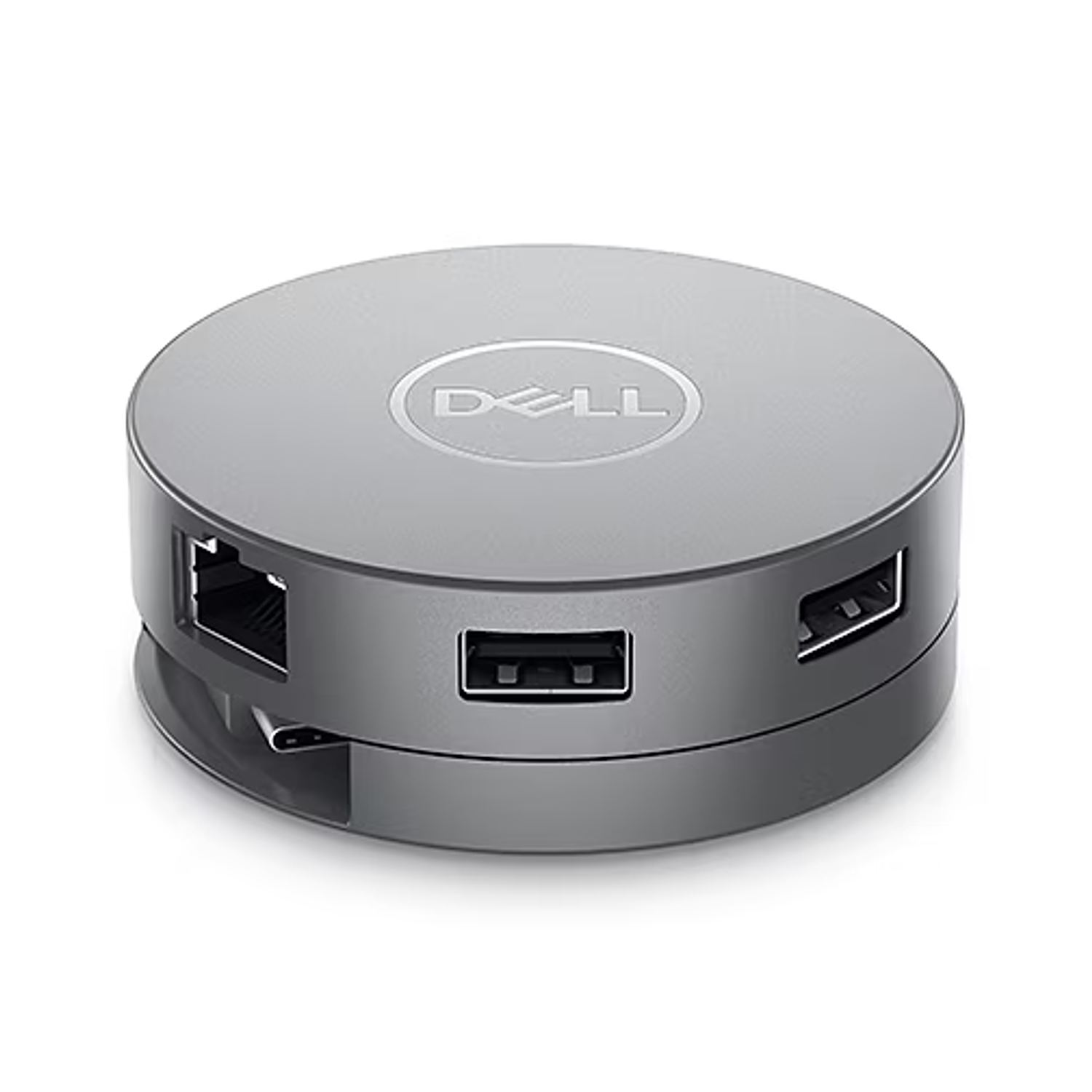
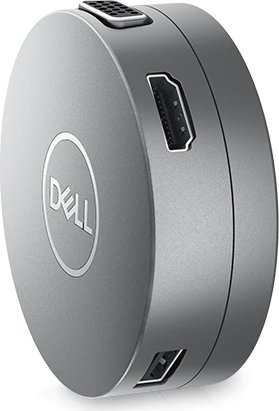
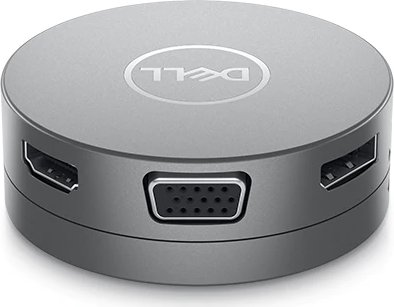
The Dell DA310 USB-C Mobile Adapter is a compact, multiport solution designed to expand the connectivity of modern laptops and tablets with a single USB-C or Thunderbolt port. It consolidates video, data, Ethernet and power delivery into one portable dongle, making it ideal for business travelers, hybrid workers, and anyone who needs flexible I/O on the go. The adapter supports one external display at a time via DisplayPort, HDMI, VGA or USB-C (MFDP), and offers full Gigabit Ethernet, two USB-A 10Gbps ports and a USB-C 10Gbps downstream port for fast data transfer.
Inside its foldable housing is a 90W power delivery pass-through capability (reserving 15W for the adapter itself), allowing connected systems to charge while driving peripherals. The DA310 supports Fast Role Swap (FRS) on display and Ethernet ports when the host system also supports FRS, ensuring seamless switching between power sources without interrupting network or video. It is backward compatible with USB 3.1/3.0/2.0 devices and provides varying downstream USB power depending on host port and whether an external power source is used.
Setup is straightforward: rotate the top section to release the built-in USB-C cable, then plug into a Thunderbolt or USB-C port that supports DisplayPort Alt Mode. The adapter supports up to 4K@60Hz on DisplayPort 1.4 or HDMI 2.0 when the host supports the required DP version; otherwise, 4K may be limited to 30Hz. Users should be aware that only a single video output is active at a time, and some high-power external drives or optical devices may require direct connection to the host or an externally powered hub.
Troubleshooting advice highlights BIOS, firmware and driver updates as common fixes for video, audio and device recognition issues, and points out that charging performance depends on the upstream power adapter rating and the DA310’s reserved power. Dell provides firmware updates for the DA310 and recommends installing the latest system BIOS and drivers to ensure compatibility and performance. The adapter meets common OS support including Windows 10 (64-bit), macOS 10.15.6, Chrome OS, Ubuntu 20.04 and RHEL 8.
Warranty and regulatory notes: Dell-branded DA310 units come with a standard limited hardware warranty (typically three years) and are subject to regional consumer rights and Dell’s end-user terms. Manufacturer differences (DA310z vs DA310u) are limited to sourcing.
Notes:
- Supports single display output only; choose HDMI, DP, VGA or USB-C MFDP per need.
- Power delivery pass-through max 90W; adapter reserves 15W.
- Display and Ethernet support Fast Role Swap only if the host does.
Search for 1 Mio. Manuals online


Type-in Brand or Model