
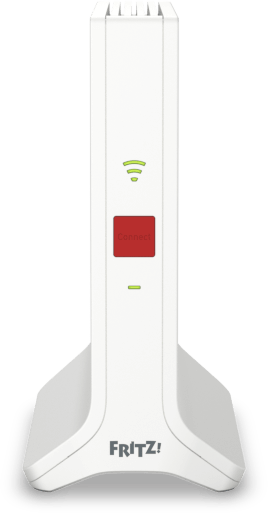
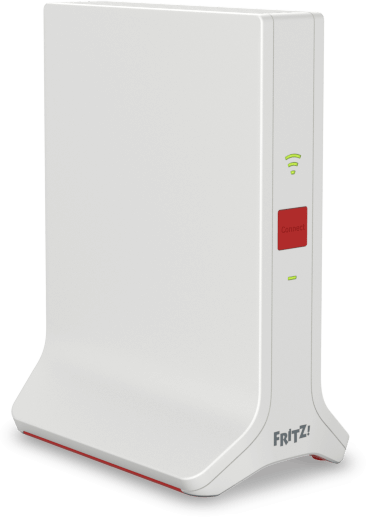
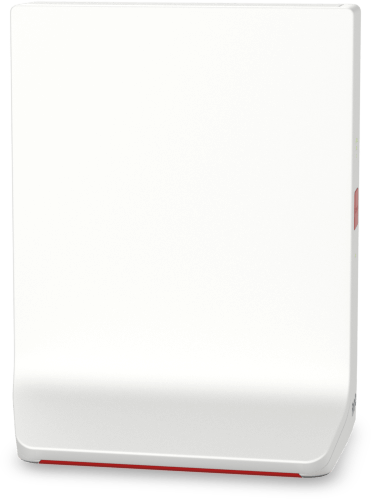
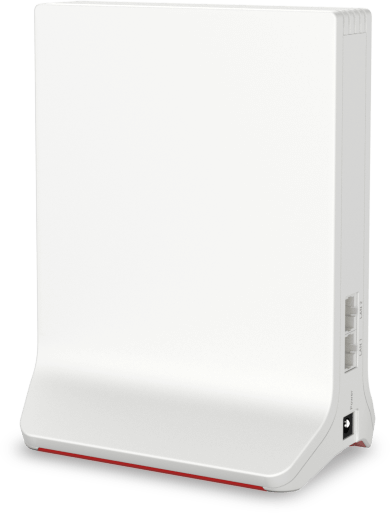
AVM FRITZ!Repeater 3000 AX Manual
PDF manual · 96 Pages
English



Advantages and Disadvantages
Advantages

- Tri‑band design with dedicated 5 GHz backhaul for stable throughput
- Mesh integration auto‑syncs SSID, keys, guest access, and updates
- Fast WPS setup and clear LED guidance for optimal placement
- Dual Gigabit LAN ports enable reliable wired backhaul
- WPA2/WPA3 support plus regular FRITZ!OS updates
Disadvantages

- Full Mesh benefits require a FRITZ!Box with FRITZ!OS 7.00+
- Placement sensitive to interference and ventilation needs
- Advanced settings may overwhelm non‑technical users
- WPA3 compatibility varies across older client devices
- Best performance depends on correct backhaul configuration
Ask a Question
Frequently Asked Questions
Eliminating dead zones and stabilizing multi‑device Wi‑Fi in medium to large homes. Its tri‑band Wi‑Fi 6 and dedicated backhaul keep speeds consistent for streaming, gaming, and smart‑home use.
Is this answer helpful?
Yes. It pairs with most routers via WPS and can adopt SSID, password, and encryption. However, full Mesh features like centralized updates and automatic settings sync require a FRITZ!Box with FRITZ!OS 7.00+.
Is this answer helpful?
Place it halfway between the router and your devices with minimal obstructions. Aim for a green LED signal, avoid heat sources and metal surfaces, and use the FRITZ!App WLAN to validate location quality.
Is this answer helpful?
Yes. Switch to LAN bridge mode and connect a Gigabit LAN port to your router or switch. Wired backhaul improves stability and frees the wireless bands for client devices.
Is this answer helpful?
It supports WPA2 and WPA3. You can run mixed WPA2+WPA3 for broader compatibility. Configure encryption and keys via the Wi‑Fi Security menu in the web interface.
Is this answer helpful?
Automatic FRITZ!OS updates are enabled by default. You can also trigger updates from the user interface, via the FRITZ!Box Mesh overview, or manually load an image file offline.
Is this answer helpful?
Open the repeater’s interface at http://fritz.repeater, go to Wi‑Fi > Guest Access, and enable guest network. In Mesh, it can inherit guest settings directly from the FRITZ!Box.
Is this answer helpful?
Product Description
AVM FRITZ!Repeater 3000 AX Manual
Powerfully Extend Wi‑Fi With Mesh Intelligence
The AVM FRITZ!Repeater 3000 AX is a tri‑band Wi‑Fi 6 extender designed to erase dead zones and stabilize streaming, gaming, and smart‑home devices. With two client radios (2.4 GHz and 5 GHz) plus a dedicated 5 GHz backhaul, it delivers fast, low‑latency links to your router and consistent speeds across rooms and floors.
Seamless Setup and Smart Management
Setup is quick via WPS: press Connect on the repeater and your router to adopt SSID, password, and encryption instantly. In FRITZ! Mesh, the repeater auto‑syncs Wi‑Fi names, guest access, schedules, and updates from a FRITZ!Box, so your network behaves as one unified system. Prefer Ethernet? Switch to LAN bridge mode for rock‑solid wired backhaul through the built‑in Gigabit ports.
Secure by Default, Flexible by Design
Security is current with WPA2/WPA3 support, and you can fine‑tune SSID, encryption, guest network, country settings, and schedules through the intuitive interface at http://fritz.repeater. LED indicators help you place the unit for optimal performance; brightness can be dimmed or turned off. Automatic FRITZ!OS updates keep features and protections fresh, and manual update options are available offline if needed.
Optimized Placement and Cascading
Use the LED strength cues or the FRITZ!App WLAN to find the best location—ideally midway between your router and devices with unobstructed airflow and minimal interference. Need more reach in one direction? Cascade additional Mesh repeaters to push strong Wi‑Fi further without juggling multiple passwords.
Notes
- Supports routers beyond FRITZ!Box; WPS recommended for fastest pairing.
- For Mesh features, use FRITZ!OS 7.00+ on the FRITZ!Box and current firmware on the repeater.
- Factory reset and recovery options are available if you change routers or forget passwords.
Search for 1 Mio. Manuals online


Type-in Brand or Model